
Use Alignment to adjust the position of the legend for Report Studio charts in a theme. This setting is depends on the Alignment to chart options you select.
If you select top or bottom alignment to chart, you can select one of the Horizontal alignment options.
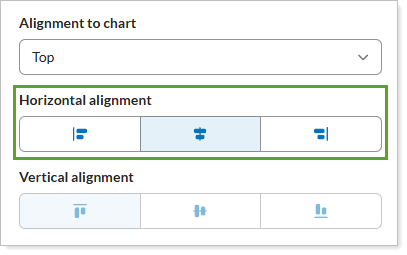
Your horizontal alignment options are:
-
Right aligned
-
Center aligned
-
Left aligned
If you choose left or right alignment to chart, you can select one of the Vertical alignment options.
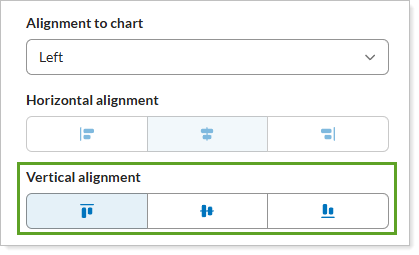
Your vertical alignment options are:
Align to top
Align to center
Align to bottom
For more information, see Legend Settings.