
Use Repeating Method to generate additional colors when a chart or report requires more colors than are defined in the theme. This setting extends the palette while maintaining a consistent visual appearance.
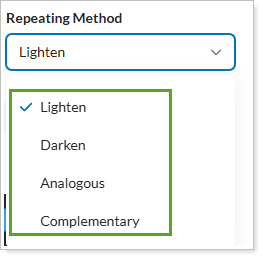
Your options are:
-
Lighten. Creates additional colors by progressively increasing the brightness of existing colors.
-
Darken. Creates additional colors by progressively decreasing the brightness of existing colors.
-
Analogous. Creates additional colors that are closely related to the original colors, producing a smooth and cohesive palette.
-
Complementary. Creates additional colors that contrast with the original colors by using opposite colors on the color wheel.
For more information about Report Studio, see Introduction to Report Studio.
For more information about themes in Report Studio, see Manage themes in Report Studio.
For more information about color themes in Report Studio, see Manage color themes in Report Studio.