
Contents
Introduction
Power Automate allows you to create and automate workflows and tasks across multiple applications and services, such as native Microsoft Office Apps (Excel, Word, OneDrive, SharePoint, Office365, etc.) and hundreds of third parties (MailChimp, DocuSign, etc.).
Power Automate can help unify your applications and expand the capabilities beyond what is available in legacy workflows that can only operate in the bounds of Dynamics 365 CRM.
Power Automate offers:
-
Enhanced monitoring and analytics. Provides access to advanced monitoring tools and analytics dashboards for real-time insights into processes.
-
Robust security measures. Provides data encryption, access controls, and compliance certifications to protect sensitive information.
-
AI builder capabilities. Allows users to build and manage AI models for better decision-making and improved automation outcomes.
This article provides more information on using Power Automate flows in Tamarac CRM.
Before You Start
As a Dynamics 365 user, you are entitled to use Power Automate without additional costs.
You must have appropriate permissions to use and enable Power Automate flows.
The following are the roles and permissions available:
| user | permissions |
|---|---|
| Any User with Dynamics 365 License |
|
| CRM System Administrator or Global Admin for Microsoft 365 |
|
Start Using Power Automate Flows
To successfully implement Power Automate into your practice, focus on converting legacy workflows to Power Automate flows and developing new flows that better fit your needs.
Power Automate flows allow you to automate the following types of tasks:
-
Instantly respond to high-priority notifications or emails.
-
Capture, track, and follow up with new sales leads.
-
Automate notifications to users and teams in your business that don't have access to CRM.
-
Take advantage of advanced scheduling functionality to kick off flows.
-
Automate approval workflows.
Power Automate Flow Templates
Although you can customize brand new flows to fit your firm’s needs, you can take advantage of Power Automate flow templates, designed to help you do the following:
-
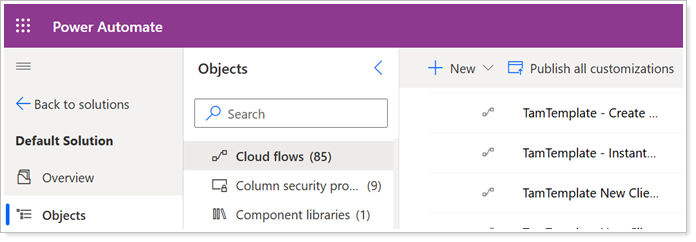
Replace standard Tamarac legacy workflows. To ease the transition to Power Automate flows, you can copy our prebuilt flow templates that we designed to replace the legacy workflows that you may have enabled.
-
Build the same or similar flows. To generate ideas for new and improved flows, you can review Tamarac or Microsoft templates to discover new capabilities and copy the templates to kick start your custom flow creation.
To start implementing Power Automate flows, see Use Power Automate Flows in Tamarac CRM.
Learn More
To learn more about building Power Automate flows, review the basic Power Automate training available from Microsoft:
Automate a Business Process using Power Automate (links to an external site).
The lessons in this Microsoft training may include references to apps for programs that your company does not use. You can continue through the exercises by adding the app connectors without authenticating them when building out the process in Power Automate.
To view Frequently Asked Questions, see Power Automate - Frequently Asked Questions.