Contents
Reports in the New Client Portal
With this release, we are updating the following reports and widgets to provide you with a cleaner, more relevant view of the data. The following report types are affected by these improvements.
-
Asset Allocation Report and Widget
-
Summary Report
-
Holdings Report
-
Committed Capital Report
Asset Allocation Report and Widget
Previously, the Asset Allocation report and widget displayed target allocation columns and charts even without an account target allocation. Now, the system will hide these empty elements, resulting in a cleaner, more relevant view. This change makes the Asset Allocation report and widget easier to use by removing unnecessary information. Users will now only see the relevant data for their accounts, making it easier to interpret the information and focus on the important details.
This change will happen automatically. You don’t need to take any action.
Summary Report
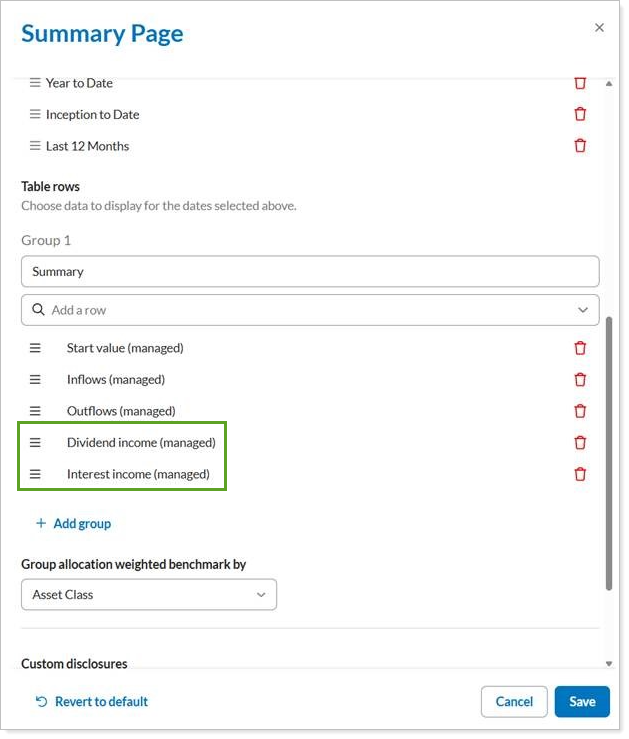
In the client portal Summary report, you can now add the following new rows:
-
Dividend Income (Managed)
-
Interest Income (Managed)
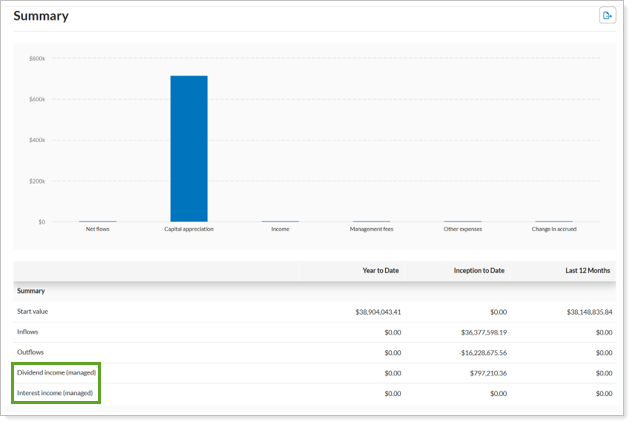
These data points offer a more comprehensive and transparent view of income generated from managed investments, providing you with greater flexibility in presenting financial data to your clients. By displaying specific dividend and interest income, clients can gain a clearer understanding of their portfolio’s income streams, aiding in financial planning and tax preparation.
To see them, you must explicitly add these rows in the Configuration tool.
Holdings Report
With this release, you can further tailor the Holdings report presentation to client preferences and your needs. This flexibility ensures that clients receive the most relevant and digestible information, improving their understanding of their overall holdings. You can now optionally add the following columns to the Holdings report:
-
Yield to Call (Cost)
-
Yield to Call (Market)
-
Yield to Maturity (Market)
-
Yield to Maturity (Cost)
You can add these columns at the portfolio, group/account, position, and lot levels, providing a detailed view of bond performance. The report will also display them as total tiles when segregated by unmanaged assets.
These new yield columns provide critical insights into the potential returns of your bond holdings under different scenarios. By having access to Yield to Call and Yield to Maturity based on both cost and market values, you can make more informed decisions about your fixed-income investments and better assess their performance potential.
To see them, you must explicitly add these columns in the Configuration tool.
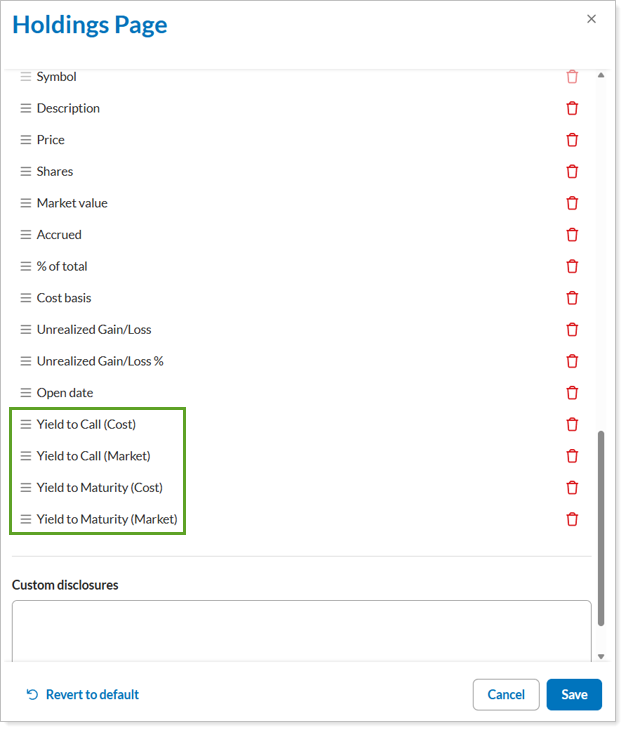
If your firm has enabled these columns for clients, they will appear on your Holdings report at the portfolio, group/account, position, and lot levels.
Committed Capital Report
To give you a more granular analysis of your committed capital, we’ve updated the client portal Committed Capital report by adding an optional Account column. Individual account names and their committed capital data clarify how committed capital is distributed across your accounts, thus facilitating detailed portfolio review when positions remain separate.
To add the Account column:
-
Clear Combine group positions. The Accounts column will only be available if you don’t combine group positions.
-
In the column selector list, find Accounts and move it to the desired location. This will show individual account-level details on the report.
If your firm has enabled this feature for clients, the report to show individual accounts, the Account column will appear on your Committed Capital report.
Account Performance Enhancements
New Account Performance-Partial Period and Linked Return Annotations
When comparing returns, you need to take the period into account. You can’t compare returns with different periods. This release, we introduce annotations on the Account Performance report to add transparency, helping you identify specific timeframes affecting your performance figures. This ensures accurate interpretation of investment results.
The same familiar annotations you see in Tamarac Reporting, now appear in the client Portal Account Performance report. These include:
-
An asterisk (*) for partial periods
-
A dagger (†) for linked partial returns.
Hover over these symbols to see the actual start and end dates. Explanatory text at the bottom of the page defines these annotations.
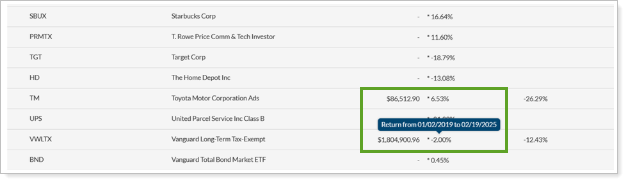
This feature is enabled automatically.
Enhancements to the Activity Page
Combine Sell Lots
When a client’s account has many transactions, the Activity report can get very long and difficult to understand, especially when each transaction is broken out at the lot level.
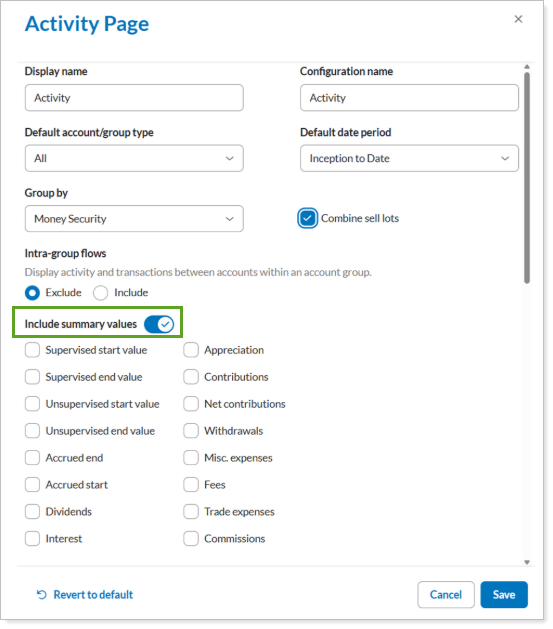
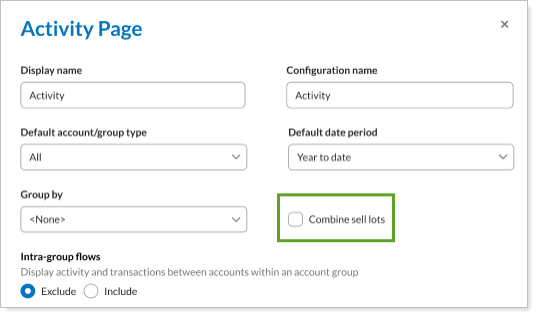
With this release, you can combine sell lots on the Activity page just as you already can in Tamarac Reporting. Particularly for clients with frequent trades, combining sell lots reduces visual clutter and simplifies review on the Activity page.
To combine sell lots, select Combine Sell lots in the Configuration tool Activity report. This merges multiple sell transactions of the same position on the same day into one line item. When enabled, it will condense transactions on the Activity report without changing their format.
Enhanced Notifications
This release introduces several enhancements to the notifications panel for Tamarac clients. We’ve included the following enhancements.
-
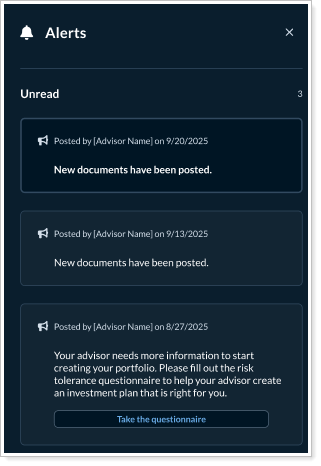
New notification and ordering functions. The system displays notifications ordered from newest to oldest, with messages you can’t delete pinned at the top.
-
Identify new notifications at a glance. The new notification bell icon at the top of the page displays a green circle when new notifications are available.
-
Improved unread message behavior. To make it easier to handle alerts, you’ll see unread messages are visually brighter than read messages. Additionally, we now mark a message read only after the user focuses on it on the screen and closes the alerts panel.
These changes make it easier to manage your notifications by clearly marking read and unread messages. The intuitive indicator helps you quickly spot new alerts, ensuring you don't miss important updates for efficient communication.
These enhancements will be available automatically and will require no action on your part.
Enhancements to the Accounts Page
As part of our commitment to delivering a seamless and intuitive Client Portal experience, we’ve enhanced the Accounts page with powerful new features:
Redesigned View/Edit Details Screen
Manage account information with an all-new side panel that keeps you in context, streamlining your workflow.
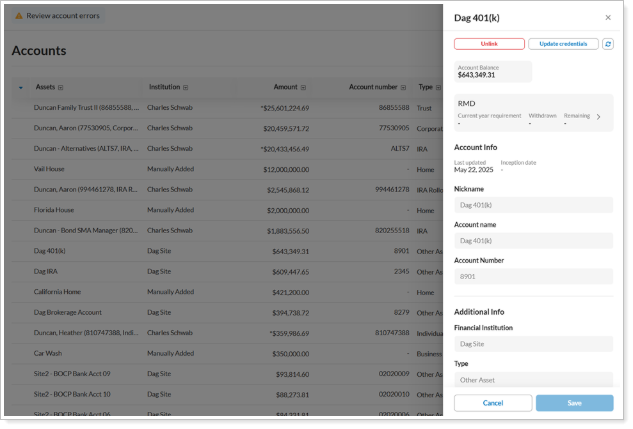
Sticky Table Headers
Navigate large datasets effortlessly! As you scroll, headers remain visible, ensuring clarity and reducing the time spent searching for key details.
Improved Navigation and Usability on the Client Portal
This release includes enhancements to the Client Portal, aimed at improving usability and navigation. These changes help you access and understand all aspects of your client’s information. These changes include:
-
Enhanced MoneyGuide Success Meter Display
-
Toggle Summary Values on Activity Full Page
Enhanced MoneyGuide Success Meter Display
The MoneyGuide Success Meter widget now offers more flexibility in showing financial projections.
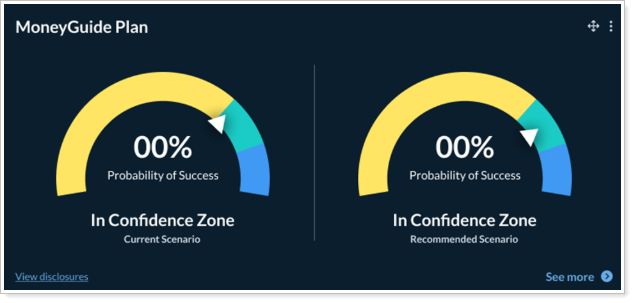
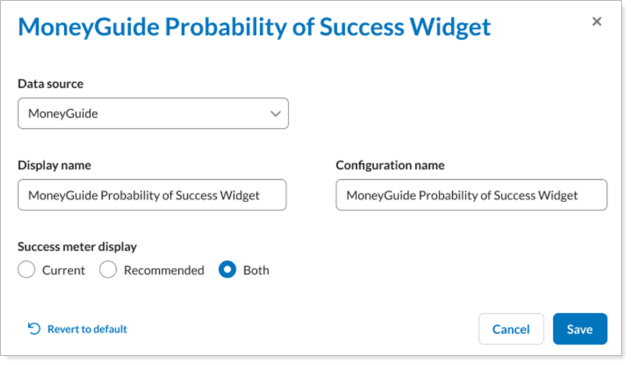
These projections include:
-
Recommended only: Display data based on the recommended scenario.
-
Current only: Display data based on your current scenario.
-
Both: Compare both scenarios side-by-side.
Toggle Summary Values on Activity Full Page
A new toggle next to the include summary values header lets firms quickly adjust report presentation; turning it off hides individual summary data point selections and unselects all summary data points.