
Contents
|
Reports Look Better on Mobile and Tablet Custom Disclosure Modal for Dashboards Classify Expenses in the Capital Flows Report Group SMAs as a Single Line Item on the Account Performance Report |
Client Portal Enhancements
Reports Look Better on Mobile and Tablet
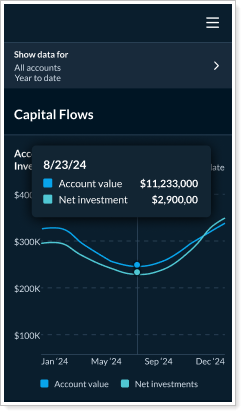
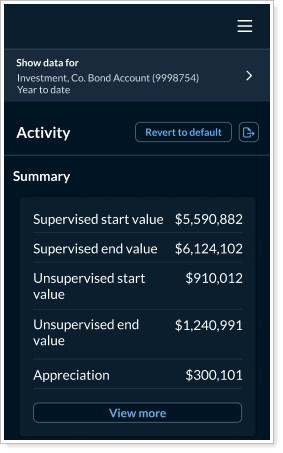
We're excited to announce that your favorite reports are now mobile friendly. This update gives you an updated, responsive experience that feels native to your mobile devices. Whether you're reviewing performance on the go or sharing insights with clients in real time, these updates make it easier to access and interpret data from any device. With this enhancement, you'll notice optimized layout and spacing, intuitive interactions, and improved readability and navigation.
The following reports are now fully responsive for mobile device users:
-
Capital Flows
-
Activity
-
Account Performance
-
Documents
-
Projected Income
-
Realized Gain/Loss
Previously, these reports were optimized for desktop viewing only but now they adapt to smaller screens where they feel like a native mobile app experience. This will give you faster workflows, better client conversations and a more polished experience for you and your client.
Custom Disclosure Modal for Dashboards
You can now add and display custom disclosures directly to the Client Portal dashboard. This helps ensure consistency, transparency, and compliance across all dashboard types. The new disclaimer link to the footer shows your customized disclosure text.
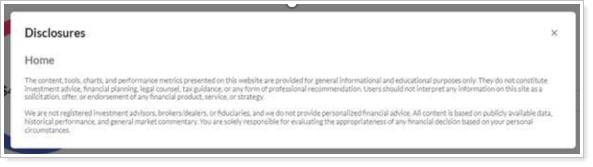
This update simplifies compliance by making disclosures visible and persistent across all dashboards based on a template—reducing manual work and scaling easily. Whether you're presenting performance data or portfolio insights, this consistent disclosure mechanism helps build trust and reduce risk.
See Customize Disclosure Text for more information.
Classify Expenses in the Capital Flows Report
Clear, accurate reporting is essential when clients are looking at the portal. Previously, you couldn’t control expense classifications in the Capital Flows report. To better support your reporting needs, you can now classify expenses as Net or Gross.
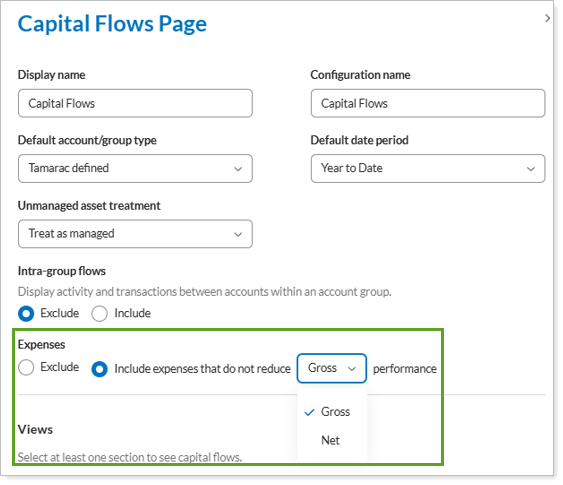
This update improves precision and helps ensure that your data reflects the correct expense treatment.
See Customize Expense Classifications for details.
Group SMAs as a Single Line Item on the Account Performance Report
The Account Performance report is a cornerstone of your reporting to clients. If you use separately managed accounts (SMAs), though, you may have noticed that the report would show detailed SMA holdings that were too much detail for some clients. To help you simplify the Account Performance report as needed, you can now display separately managed account (SMA) holdings as a single aggregated line item.
To aggregate SMA holdings, select the new SMA as single line item option.
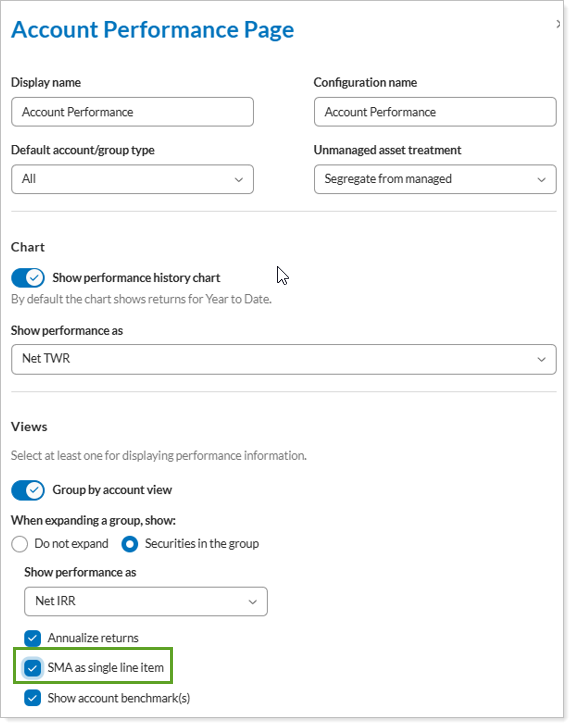
Especially for clients who prefer a high-level summary, this update reduces report clutter and highlights broader performance metrics.