Contents
Reporting
Report Studio Updates
Group by direct member or single accounts in Report Studio
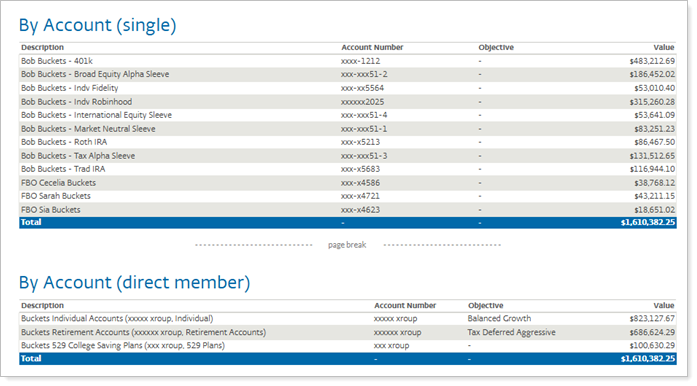
In previous versions of Report Studio, grouping by account meant different things depending on the type of report. For example, the Asset Allocation report grouped information by each account member, but the Account Performance report grouped it by direct members. This difference only mattered for reports with groups that included direct member groups. With the latest update, you get better grouping options that make it easier to organize your reports the way you want.
As we continue to improve Report Studio, we're excited to introduce the following enhancement:
-
Group by direct member or single account
Group by direct member or single account
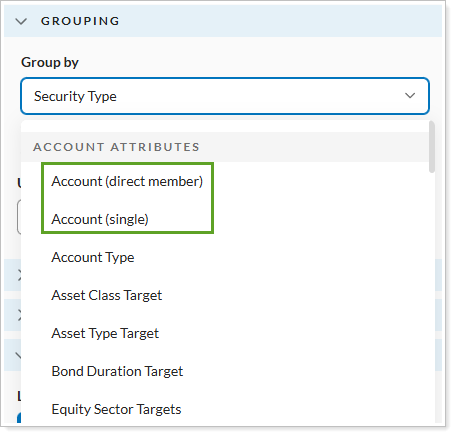
We understand how valuable the ability to group assets is to how you present reports to your client. With this release, you can organize your account data in the following ways:
-
Direct member: Summarize data using immediate child groups for a big-picture view.
-
Single account: Display data for each account individually for in-depth analysis.
Whether you're providing a high-level group view or a granular, account-level view, the ability to group assets allows you to tell a clear story to your clients about their investments. Report Studio prevents you from mixing the two, so you maintain accuracy.