Contents
|
Customize Progressive Web App (PWA) branding for the Client Portal |
Client Portal updates
Customize Progressive Web App (PWA) branding for the Client Portal
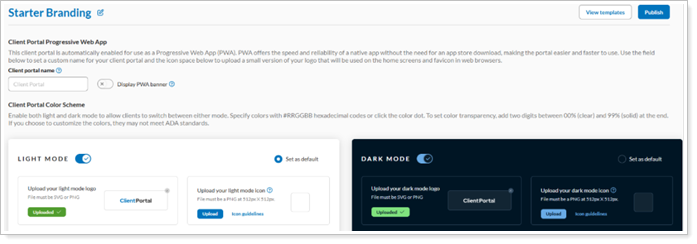
We’re excited to share that your firm can now personalize the appearance of its Progressive Web App (PWA) using the Configuration Manager Branding template. This enhancement allows firms to set a custom app name, upload PWA icon images, and control whether users see a banner prompting them to install the portal on their device.
The PWA is available at no cost and is designed to replace the native Apple and Google apps rather than run alongside them. These enhancement gives firms more control and flexibility to customize their PWA branding and client portal experience, including:
-
PWA Branding Setup: Firms can set a custom app name (up to 14 characters), upload PNG icon images (512x512 pixels, under 1 MB), and choose separate images for light and dark mode. Helpful tooltips guide the process.
-
Install Banner Option: A toggle in the Branding Template lets firms enable the install banner for Android users. This setting is off by default. Note: This banner only appears on Android since Apple devices don’t support automatic prompts.
-
PWA Activation: Firms can launch the mobile PWA for clients with a simple on/off switch, making setup quick and easy.
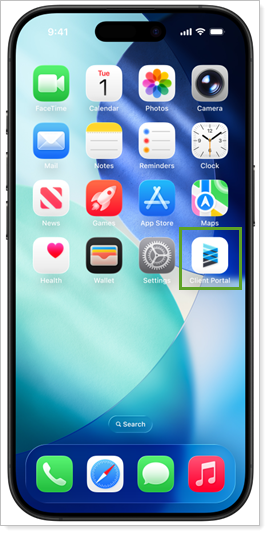
When users add the Client Portal to their device, selecting the app icon opens the portal in a Progressive Web App (PWA) environment, giving it a native app look and feel on the web. The appearance may vary by device.
Android devices (Chrome and supported browsers)
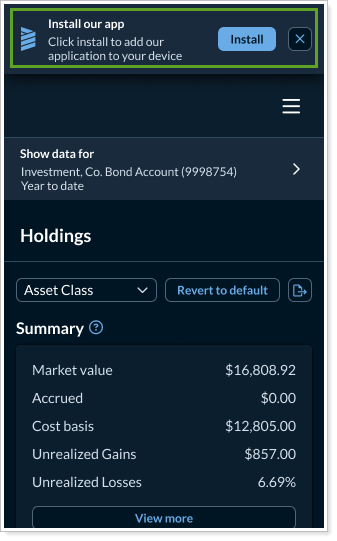
When your firm enables the PWA experience and turns on the install banner, clients using supported Android browsers will see the Install our app prompt to install the Client Portal app. After they install it, the prompt no longer appears.
Apple devices (iOS and iPad OS)
Apple devices don’t show install banners for PWAs. To install the Client Portal, open it in your browser, select the share or action menu, and select Add to Home Screen. The app uses your firm’s name and icon, though some iOS icon features may be limited.