
Contents
User experience: new features & enhancements
Saved filter sets
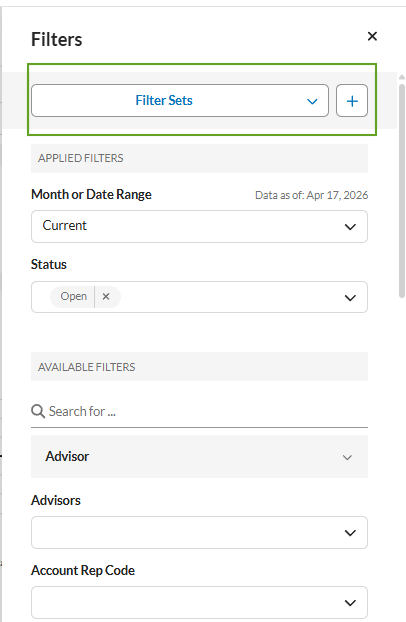
Saved Filter Sets let you store and reapply named groups of filters across WDP dashboards and grids. Filter sets can be personal or admin-shared across your firm’s hierarchy, improving repeatability and collaboration while reducing rework. With this enhancement, you can:
-
Create and manage filter sets. Add a new filter set from the filter panel, enter a unique name, and edit or delete sets from the dropdown.
-
Apply sets with compatibility checks. Applying a set clears existing filters. If some filters do not match the current view, you can choose to apply only the compatible filters.
-
Share sets as an admin. Publish or unpublish shared sets. The system lists personal and shared sets in separate sections with alphabetical sorting and search by name.
-
Support accessibility and validation. Use keyboard and screen –readers. The system enforces naming rules and prevents duplicate names with inline validation.
See Manage Shared Access to Reports, Sections and Modules in Report Studio for more information.
Insights engine: Focus Areas
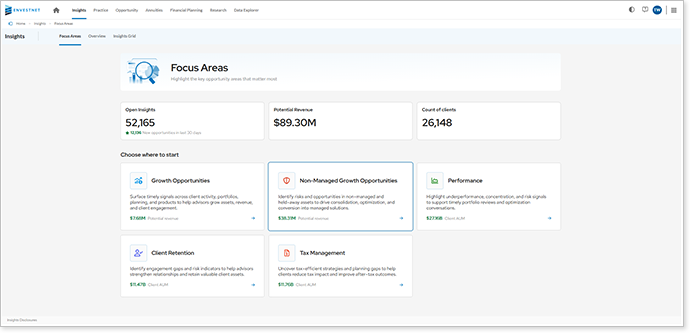
This enhancement redesigns the Insights home page with Focus Areas to improve scannability and discovery. It introduces category-based navigation with three levels to help you find relevant insights faster.
-
Use the Explore landing page. View read-only KPIs and Focus Area cards that guide entry based on your needs and priorities.
-
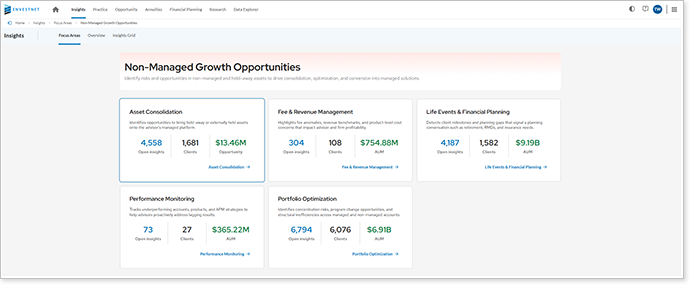
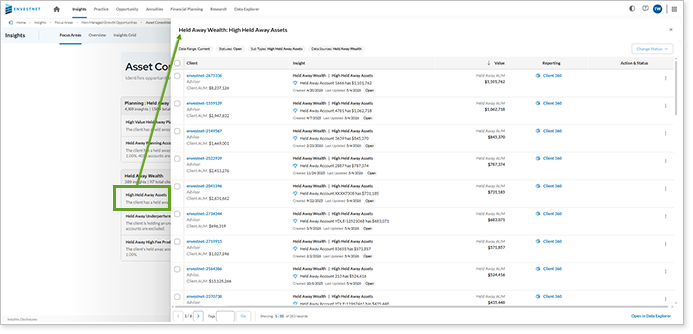
Navigate with three-level drill-through. Move from Focus Area cards to metrics and then to grouped insights while using breadcrumb history to track your path. Open a slide-out panel to review opportunities in a detailed grid, and launch the full view in Data Explorer, or take action directly from the side panel.
-
Access based on your role. You must have the WDP – Insights Focus entitlement to use this feature in Enterprise and RIA channels.
AI Explainability: Dashboard Summary
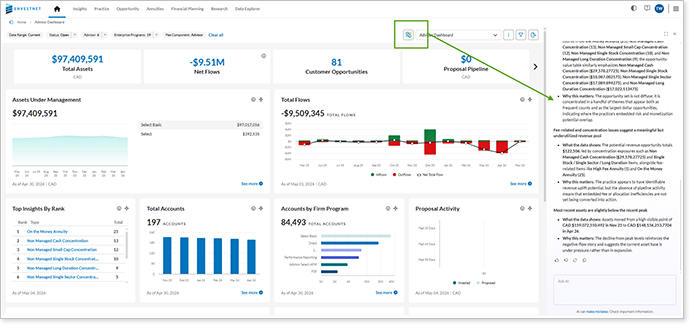
This feature adds an AI-powered explainability layer that generates dashboard- and the groundwork for widget-level narratives. It highlights key drivers, risks and opportunities, and benchmarks. Explanations update based on the filters you apply. This enhancement introduces:
-
Dashboard summary pane. Open a slide-out or docked panel that updates with filter changes and highlights key trends.
-
Feedback collection. Use thumbs up or down to improve explanation quality over time.
-
Copy or export results. Copy explanations or generate downloadable report artifacts.
-
Preliminary framework for widget explainers. Coming in a future release, widget explainability allows you to select the AI icon to open a model with driver analysis, outliers, and suggested questions.
AI Framework: Grid AI and multi-turn
This update enhances the Grid AI framework with a new query schema and support for streaming and multi-turn conversations. The following changes improve performance and enable deeper, more iterative data exploration:
-
New query format. The updated parsing and execution pipeline improves performance while maintaining backward compatibility.
-
Streaming and multi-turn interactions. Support conversational exploration so you can refine queries and explore data across multiple steps.
-
Improved development workflows. A local runner and launcher support more efficient development and testing across frontend and backend systems.
RIA Enhancements: Custom implementations
This release introduces client-specific endpoints to support custom-contracted RIA experiences and accuracy improvements.
-
Custom RIA experiences. Use client-specific endpoints, Data Explorer layouts, and filters based on your firm’s configuration. The system includes custom APIs and metamodels with access controlled by user roles.
-
Improved metric accuracy. The Days Since metric now calculates based on the last activity date.
Rebuild of remaining legacy Insights settings pages
This update completes the migration of remaining legacy Insights settings pages to the new portal. It preserves existing business logic while aligning with modern design and accessibility standards.
-
Migrate the remaining settings pages. Updated pages include Client Admin, Insights Action Links, Reports — Account 360, Managed Asset Allocations, Advisor as Portfolio Manager, Client 360, and Tax Vision. These pages continue to use existing access. No new entitlements or roles are needed.
-
Improve navigation. The updated admin menu and breadcrumb navigation make it easier to find and move between settings pages.
Platform architecture and data enhancements
Platform enhancements and continuous improvements
This release includes improvements that enhance performance, scalability, and reliability across the app.
It also improves how the platform handles reporting dates in data queries. It refactors As Of Date handling in the generic query service so historical data queries consistently reflect the intended reporting date across all integrated domains.