Contents
Client Portal
Pershing document vault integration for Client Portal
What's changing
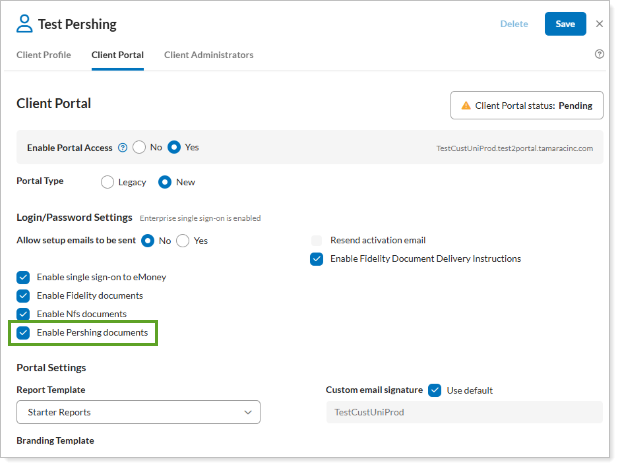
Clients that use Pershing as a custodian can now access your Pershing custodial documents directly in the Client Portal, without navigating to a separate site. You can configure clients to see a new Pershing section on the Documents page, with Statements, Trade confirmations, Tax documents, and Notifications. The Document lists populate automatically on page load, using smart defaults to reduce manual filtering.
When configuring for your clients, you can rename the dedicated Pershing section in the document vault left navigation to match your firm's terminology.
In the Pershing document vault folders, clients can see the following file types:
-
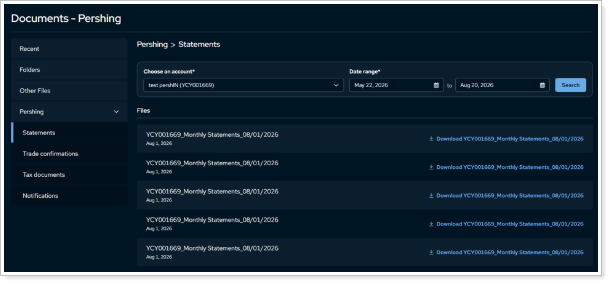
Statements and trade confirmations. View statements and trade confirmations automatically retrieved for the first account in the list, covering the most recent three months by default.
-
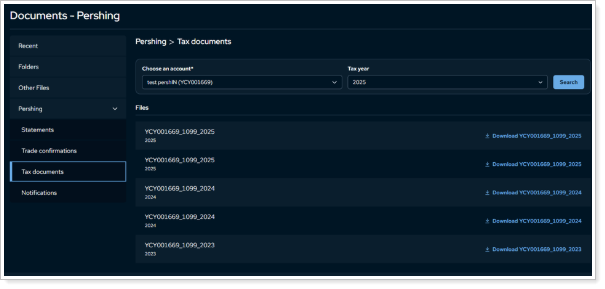
Tax documents. Filter by account and tax year. The client portal uses the most recent tax year by default.
-
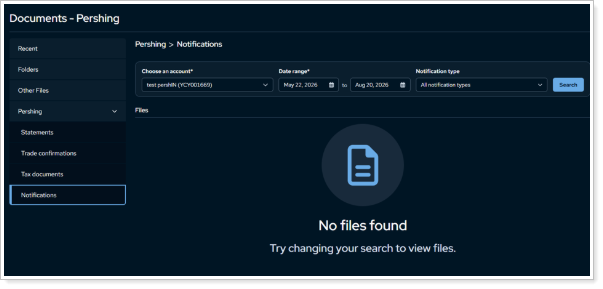
Notifications. Filter categorized views by account, date range, and notification type. All types display for the last three months by default.
Why you'd use it
Save clients time by letting them skip signing into a separate Pershing portal to retrieve custodial documents. Clients can view and manage those files directly in the Client Portal, alongside the rest of their dashboard. Centralized statements and tax documents, with automated default searches, help clients quickly find what you need for reporting or tax preparation — no manual filtering required.
How to get started
In Client Settings, select Enable Pershing Integrations and confirm your firm's PLINK ID.
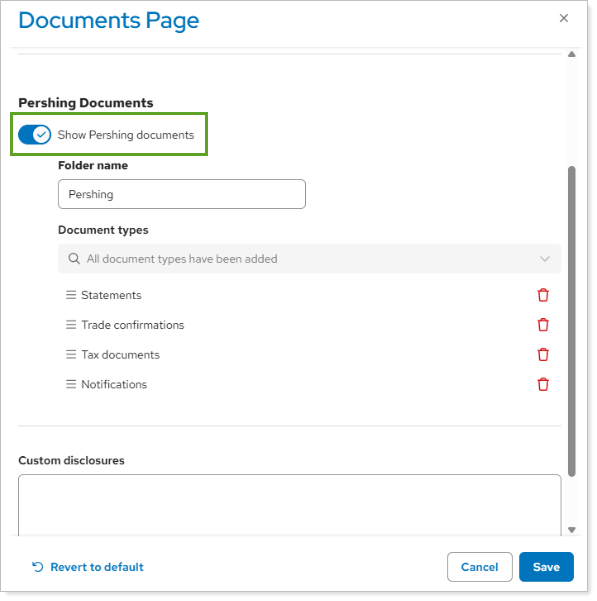
Then, in the Client Portal Configuration Tool Documents page, turn on Show Pershing documents.