
Contents
Introduction
To streamline your workflows between Tamarac and iCapital, Tamarac provides single sign-on access to the iCapital Alternative Investments Marketplace. The SSO connects your Tamarac platform to the iCapital platform, where you can streamline tasks like onboarding, investment execution, reporting, and data management within your existing tools.
With this integration, advisors will have access to the following through iCapital.
-
Private market investments, hedge funds, defined outcome solutions, and other alternative products.
-
Independent investment research and operational due diligence on investments offered through iCapital.
-
Educational materials about the broader alternative investment universe
-
Structured solutions offerings
-
And more...
Enablement
Before you can access SSO, you must contact Tamarac Account Management and request an addendum.
There is no cost to configure the SSO or access the iCapital Marketplace.
For more information about this integration, contact iCapital at (email address).
The Tamarac SSO to iCapital
To open iCapital from the Tamarac platform:
Under your user profile, select iCapital Alternative Investments. You’ll only see this link when the feature is enabled.
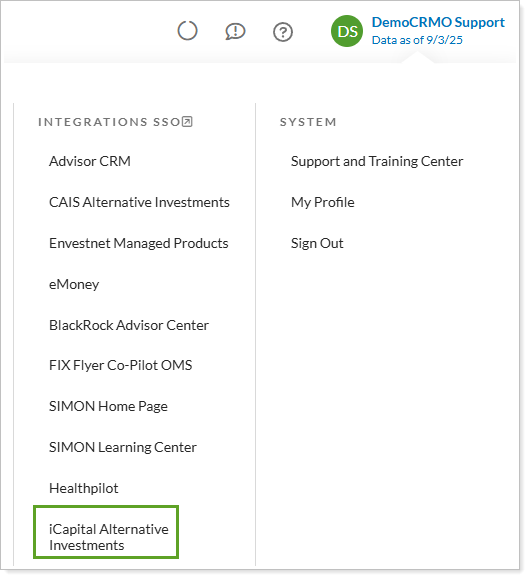
The first time you launch, establish the link between Tamarac and iCapital:
-
If you are a new member, follow the steps to create a new user on the platform.
-
If you are an existing member, select the link to enter your username and password.
The next time you select the link, single sign-on will be established. You won’t have to enter your username and password when you access the iCapital Marketplace from the Tamarac platform.