
Contents
Upload trades into Tamarac Trading
What's changing
Trade decisions sometimes originate outside Tamarac Trading, such as in a model provider’s output, a portfolio manager’s spreadsheet, or a firm-wide reallocation. Entering trades account by account can be time-consuming, especially when a single decision affects hundreds or thousands of accounts.
With this release, you can upload up to 100,000 trades across multiple accounts in a single file. Uploaded trades follow the same rules as Quick Trades, including decimal handling, validations, and restrictions.
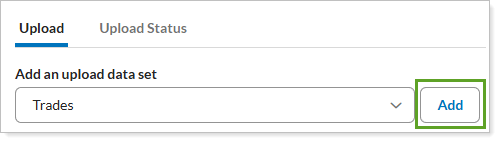
The new Upload Trades feature generates smart trades based on your uploaded instructions and account holdings, identifies rejected trades, and lets you review the resulting trades before proceeding. See the following sections for more details.
smart trade generation with validation
Tamarac Trading evaluates your uploaded file against account holdings, existing trading activity, and other requirements to generate trades for review. The process includes:
-
Trading in-progress. To avoid conflicts, Tamarac Trading rejects uploaded trades for accounts with a previously initiated rebalance that the platform is still processing.
-
Group-level considerations. When an account belongs to a group, Tamarac Trading validates and rebalances the entire group together. If one uploaded trade fails for an account in the group, the platform rejects the upload for the whole group
-
Account holdings context. Tamarac Trading evaluates uploaded trades against existing account holdings and builds an intelligent trade set for your review:
-
Tamarac Trading proposes trades to make yours work, such as selling a cash substitute to raise cash.
-
If a trade sells more of a security than the account holds, the platform triggers a SellAll for that security.
-
-
Other standard validations. The Trades upload applies the same validations as a Quick Trade, checking for duplicate trades, securities with hard-restrictions, unmanaged assets, accounts not in a valid state, and more.
review uploaded trades and rejections
-
Review rejected trades. If an upload produces errors or warnings, Tamarac Trading generates a file listing each rejected trade and the reason for rejection. Use this information to correct the issues and resubmit your file.
-
Identify uploaded trades. A notice on the Trade List indicates when uploaded trades are present and ready your review
Why you'd use it
The Trades upload helps advisors and trading teams handle large trade sets more efficiently, reducing manual entry and the risk of errors. Because uploaded trades follow the same rules as Quick Trades, your team gets the same validations and restrictions without learning a new process.
Group-level processing helps preserve allocation integrity across related accounts. If an upload contains errors or warnings, you can review the Errors and Warnings file to identify affected accounts, correct issues, and resubmit rejected trades.
How to get started
The Trades upload is available to firms with Tamarac Trading enabled. For more information and steps to upload trades, see Learn More About Uploading Trades.