
Contents
Introduction
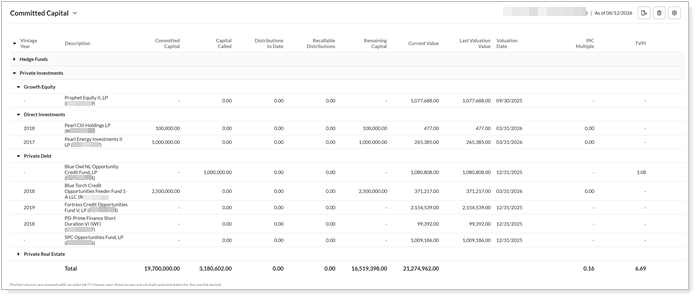
The Allocate integration connects the Tamarac platform with Allocate, a provider for alternative investment data. This integration lets you see alternate holdings managed on the Allocate platform without leaving the Tamarac platform. Holdings managed through Allocate appear in Tamarac Reporting as automatically created manual security snapshots, which you can include in your standard reporting package.
This article provides details about how to see Allocate alternative investment data in the Tamarac platform.
For more information about other alternative investment provider integrations, see Introduction to alternative investments.
Enablement
Your firm must have the Allocate integration enabled. To turn it on, contact your Tamarac Service team. For more information about setting up the data feed, see Workflow: Set up data feed for alternative investments in Tamarac.
There is no cost to configure the data feed.
Use Allocate data in Tamarac Reporting
When managing your clients’ assets, you need to see and report on all your clients’ accounts and holdings in Tamarac Reporting, regardless of where the assets are held.
To bring in data about the alternative investments from Allocate, you can:
-
Export the data from Allocate and upload it to create manual security snapshots in Tamarac each time something changes.
-
Use Tamarac’s direct data feed with Allocate, which automatically creates and updates manual security snapshots.
Either method allows you to include Allocate alternative investment data in your standard reporting package.
For more information, see: