
Contents
Introduction
If the System Dashboards do not meet all of your report needs, you have the ability to create your own custom dashboard using your System Views, Personal Views, System Charts, and Custom Charts.
Custom Dashboards combine up to 6 views and charts to display data which is important to you and your team all in one place.
Create a Dashboard
To create a dashboard, follow these steps:
-
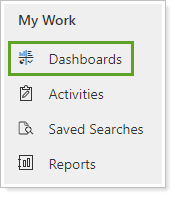
On the left menu, click Dashboards.
-
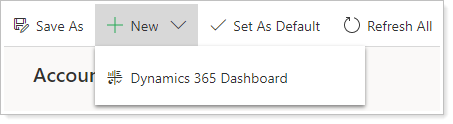
Click New and then click Dynamics 365 Dashboard.
-
In Choose Layout, choose your desired dashboard layout and click Create.
-
Enter a Name for the dashboard.
-
In the component sections, select the desired dashboard components:
- Lists (Custom or System Views in CRM)
- Charts (Custom or System Charts in CRM)
-
Adjust height and width as desired for each component. You may also drag and drop to rearrange components.
-
When finished, click Save.
Shared Dashboards
Notes
If you shared the Dashboard with another user but they are unable to view a component, it is because a View or a Chart that has been added to this Dashboard was not shared with that User. The Dashboard, the Views, and the Charts must all be shared with that User.
All Dashboards in CRM are personal unless they are shared. If you create a Dashboard that you need to share with other members of your team, you can do so by following these steps:
-
Navigate to the custom dashboard.
-
Click Share Dashboard.

-
Click Add User/Team and search for the user you want to share this dashboard with.
-
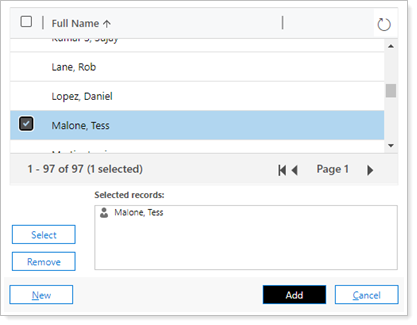
Select the name of the person, people, or team and click Select to move them to Selected records.
-
When finished, click Add.
-
Give each user or team appropriate permissions. Read allows the user to see the dashboard. Share allows the user to share it with others or unshare it with themselves.
- Click Share.
More Information
Click here to learn more about creating Dashboards in Dynamics CRM.