
Contents
|
Available Word Templates in Tamarac CRM |
Introduction
With Word Templates, you can export data from records in CRM into a suitable format for internal filing or distribution for a more efficient administrative workflow. These preset templates pull dynamic values straight from CRM records into standardized documents, minimizing your time spent on data re-entry and formatting.
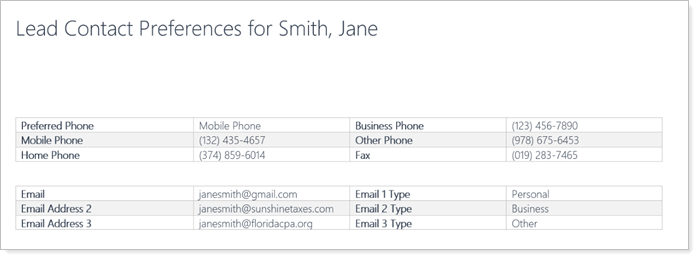
You can use templates to generate:
-
Client account summaries.
-
Contact preferences.
-
Other documents your firm uses daily.
You can use the standard templates that are readily available on the platform or upload custom templates with personalized firm branding and data.
This article covers more information on Word Templates in Tamarac CRM.
Available Word Templates in Tamarac CRM
Depending on your firm’s needs and preferences, you can use the standard templates in Tamarac CRM or create custom templates.

Standard Word Templates
Tamarac CRM offers the following standardized Word Templates:
| template | Eligible record type | output | availability |
|---|---|---|---|
| Account Summary |
Account |
A general overview of your client’s portfolio, including:
|
Standard Word Template available from Microsoft |
| Client Summary |
Account |
An in-depth overview of your client’s portfolio, including:
|
Standard Word Template from Tamarac CRM |
| Account Contact Preferences | Account |
Existing client contact information, including:
|
Standard Word Template from Tamarac CRM |
| Lead Contact Preferences | Lead |
Existing lead contact information, including:
|
Standard Word Template from Tamarac CRM |
| Client Profile | Account |
A comprehensive snapshot of client information based on the Client Profile output, including:
|
Standard Word Template from Tamarac CRM |
Create Word Templates
If you have the appropriate permissions, you can create and share customized Word Templates with your firm. Contact Support to inquire about setting up user or firm entitlements as needed.
For detailed information from Microsoft, see Use Word templates to create standardized documents (links to external site).
Generate Word Templates in Tamarac CRM
Users in your organization can see the templates that are available to them in the command bar of each record type that has templates configured.
Before you generate Word Templates in Tamarac CRM, consider the following:
-
You can generate Word Templates for one record at a time, pulling only data from the respective record.
-
You must generate standard or custom Word Templates under the corresponding eligible record.
To generate and download a Word Template in Tamarac CRM:
-
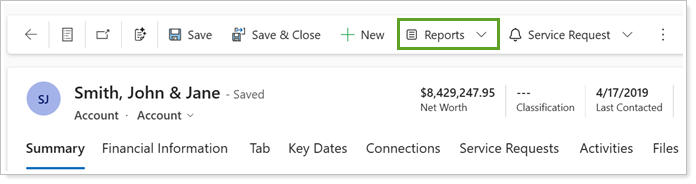
Depending on the record type, access Word Templates from the command bar of the desired record accordingly:
-
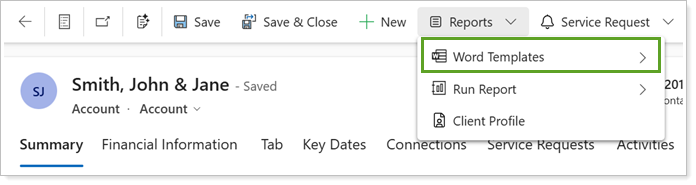
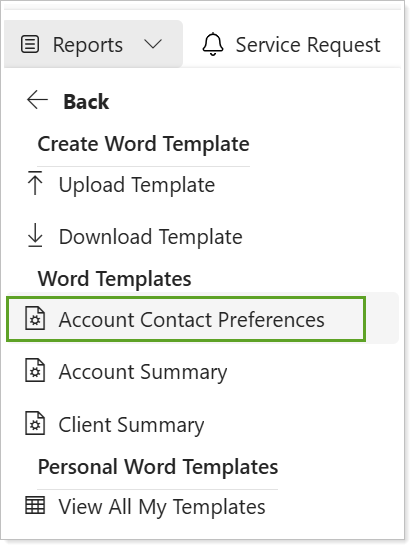
For Account records, select Reports and Word Templates.
-
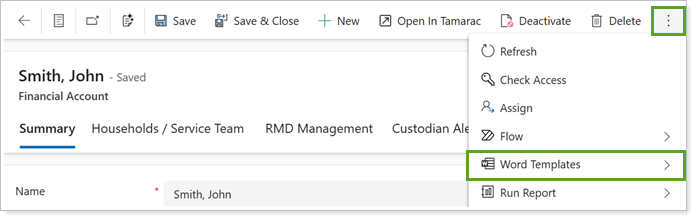
For all other records, select More commands and Word Templates.
-
-
Under Word Templates, select the desired template. Only templates available for the record type will display.
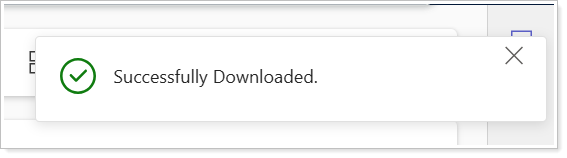
The template downloads to your computer and a notification indicates the download was successful.
Update Data from Word Templates
Once you download the Word Template, you may need to change data or formatting to make corrections or better fit your needs.
If you edit the Word Template you downloaded, those changes will exist only in that Word document. The changes won’t sync to Tamarac CRM and new Word Templates won’t include those changes.
To make persistent changes, do the following:
-
If you are correcting data that was pulled from Tamarac CRM, update the corresponding fields on the record to maintain accurate and uniform data.
-
If you are updating formatting or adding additional data points, if you have the appropriate permissions, you can upload an updated version of the Word Template to CRM to capture these template changes moving forward.
-