
Contents
Reporting
Enhanced data synchronization experience
We’re excited to introduce enhancements that minimize disruption during data synchronization. With this release, the Client Portal remains available during data synchronization, and for the first time, many Reporting pages will be available. These enhancements reduce downtime and keep more resources available when you need them most.
No Sync downtime for Client Portal users. Users can continue using the portal while a sync is in progress. Once the sync is complete, the as-of-date updates automatically, ensuring all reports and dashboards display the latest values.
Expanded access to Reporting pages during syncs. You will have access to Report Studio, most dynamic reports, and the majority of settings pages during data synchronization.
These improvements streamline your workflow, minimize interruptions, and ensure that reporting and client engagement can continue seamlessly during syncs by reducing downtime and make more resources available when you need them.
Report Builder Updates
As we continue to improve the Report Builder tool, we're excited to introduce the following enhancements:
-
Report Builder is now Report Studio
-
New Report Studio Permissions
-
New Pie Chart Module
-
New Performance Attribution Columns
-
New Options data points
-
New Holdings and Security Details columns
Report Builder is Now Report Studio
We’re excited to announce that Report Builder is now Report Studio! This new name reflects our ongoing committment to making the tool even more powerful and intuitive. With Report Studio, you can create and customize reports more easily, take advantage of new features that help you work faster, and connect seamlessly with other tools to simplify your workflow.
New Report Studio permissions
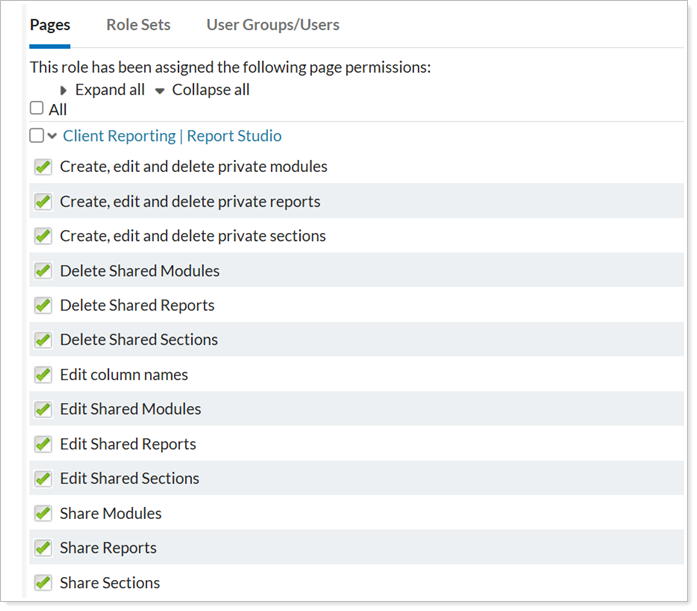
This update introduces more granular permissions in Report Studio, giving you greater control over who can create, edit, and manage reports. These permissions help ensure that each user has the right level of access for their role.
-
Create, edit and delete private modules
-
Delete Shared Modules
-
Edit Shared Sections
-
And more...
New Pie Chart module
We’re excited to introduce the addition of the Pie Chart module in Report Studio, which expands your capabilities when building client reports. This module replicates the functionality of the existing Asset Allocation Pie Chart in Tamarac Reporting, bringing that same experience into Report Studio.
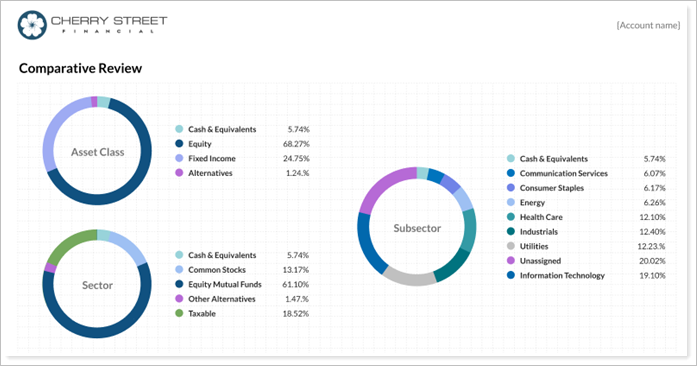
For details, see Using the Pie Chart module
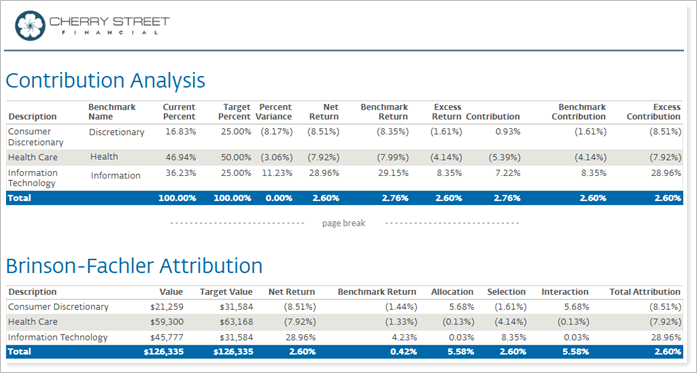
New Performance Attribution and Benchmark Contribution columns
New attribution columns appear in the Target Allocation & Attribution section. These columns display at the subtotal and total levels when you group data by target allocation.
New Options Reporting capabilities
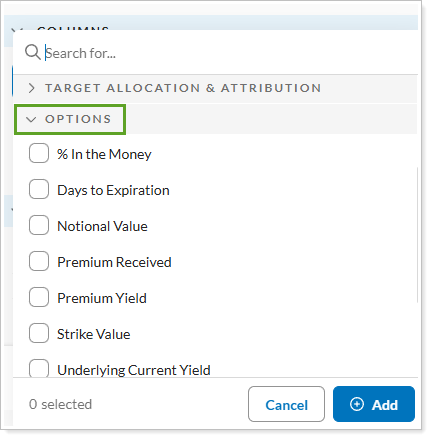
We know how important it is to provide detailed reporting for clients who trade options. With this release, Options is now available as a group-by category in Report Studio, along with several new options-specific columns.
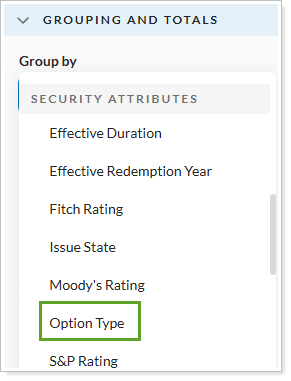
The new columns include:
-
% In the Money
-
Days to Expiration
-
Notional Value
-
And more...
New Holdings and Security Details columns
As part of our ongoing enhancements to Report Studio, we’ve added all security details as available columns. This update gives you access to key information for both holdings and security detail reports.
Client Portal Updates
Enhanced performance for the Committed Capital report
As a part of our ongoing commitment to improving accessibility and usability, we are pleased to announce that we’ve added the Committed Capital report has been added to our suite of fully mobile responsive reports. This update continues to provide a unique, user-friendly design specifically tailored for touchscreen devices, including tablets and smartphones.
With this change, clients can access and interact with complex financial data seamlessly on smaller devices, enjoying the same feature-rich experience previously available only on desktop. To access, clients sign in to the portal from your mobile or table.
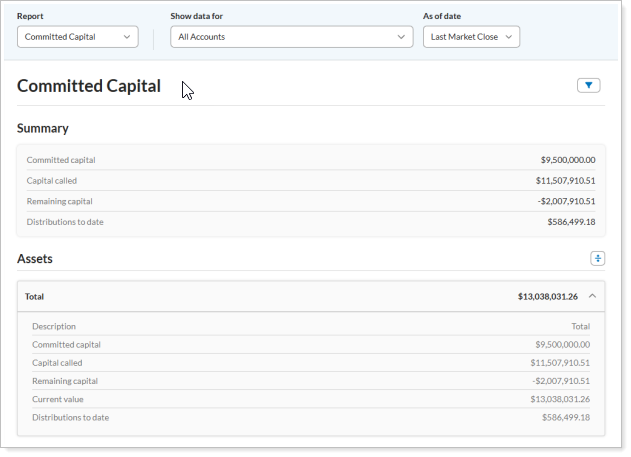
Clients will enjoy this enhancement automatically. No action is required on your part.
Enhanced Show Data For Experience
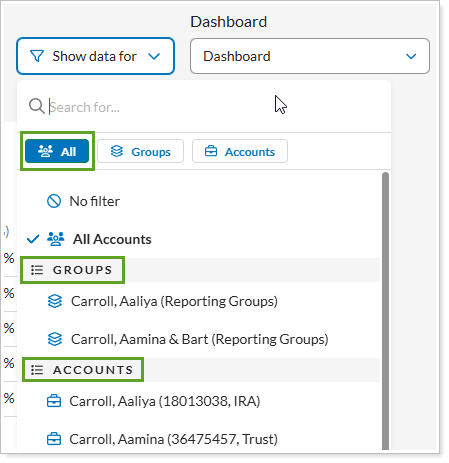
We are excited to announce a refreshed look and feel for the Show Data For list in dashboards and reports. This redesign streamlines navigation and provides a more intuitive experience for clients, including tab navigation, better grouping, and enhanced filtering.
Unified All Section
View all reporting groups, accounts, and sleeves in a single, organized location. Each entity type is grouped in its respective section under All.
New Filtering Tabs
Filter your view by reporting groups, accounts, or sleeves using dedicated tabs. Tabs and sections are tailored to each client—if an entity type doesn’t exist for a client, it won’t appear in their dashboard.
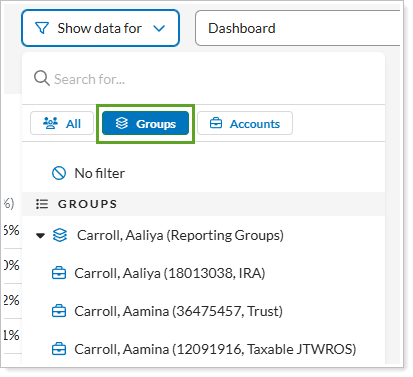
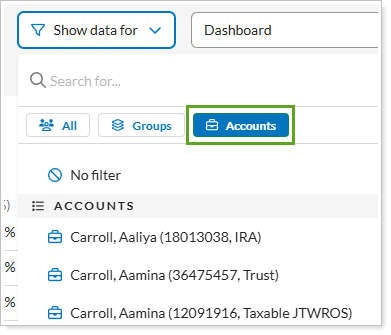
Clients will see the new Show data for list by default. No action is needed on your part.
Group by Tax Status in the Projected Income Report
We are pleased to announce the addition of Tax Status as a new grouping option for the Projected Income report. With this release, clients with tax-sensitive portfolios can quickly identify their taxable versus non-taxable projected income, streamlining decision-making, and planning.
This enhancement improves transparency and gives you important details to help your clients make informed financial decisions.
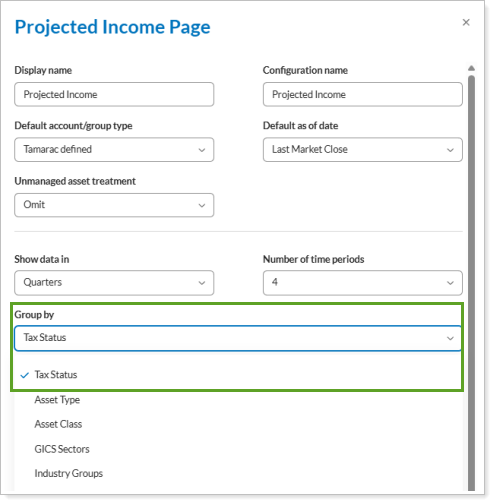
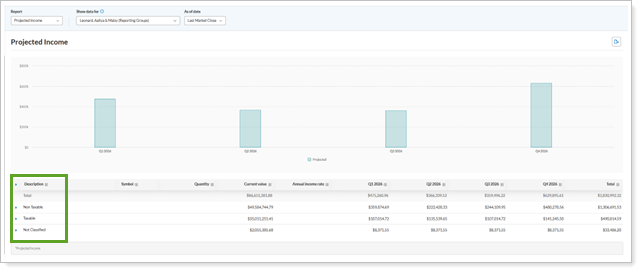
To get started, in the Configuration Tool, you can set Group by to Tax Status for any new or existing Projected Income report.
Tamarac Makeover updates
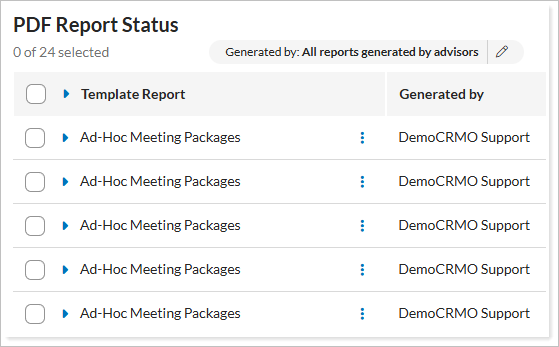
We're continuing to enhance the look and feel of Tamarac pages across the platform and have recently updated the PDF Report Status page. The new design introduces a more intuitive layout and a standardized grid, making it easier to filter, view, and take action on each template report.
New UI for PDF Report Status page
Restyled Grid Header
The grid header has been refreshed for a cleaner look that aligns with the rest of the Tamarac platform.
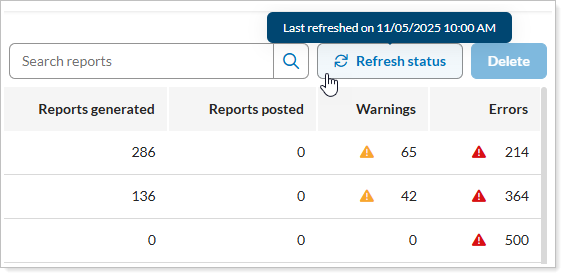
New Header Button Tooltips
Quickly see the details you need by hovering your mouse over any header buttons.
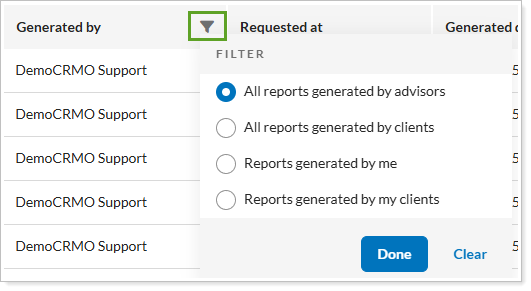
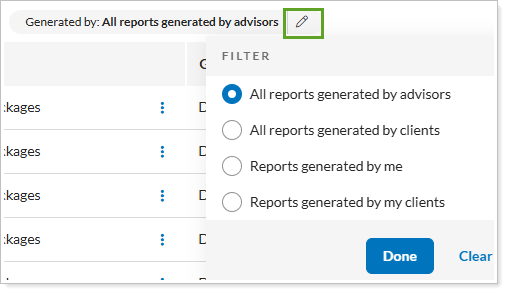
Updated View Selector
Change your grid view by filtering or editing the Generated By column.
Additional Grid Column
Do more with the newly added grid columns: Requested At, Accounts Selected, Reports Posted, Warnings, and Errors.

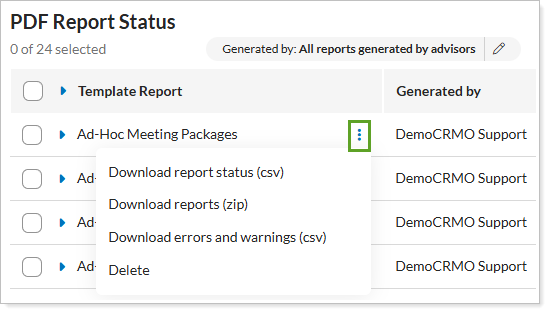
New Ellipsis Menu
Take action directly on each template report by selecting the new ellipsis menu.
Refreshed PDF Details
Access detailed information for statuses, errors, and warnings in the expanded section of each report.
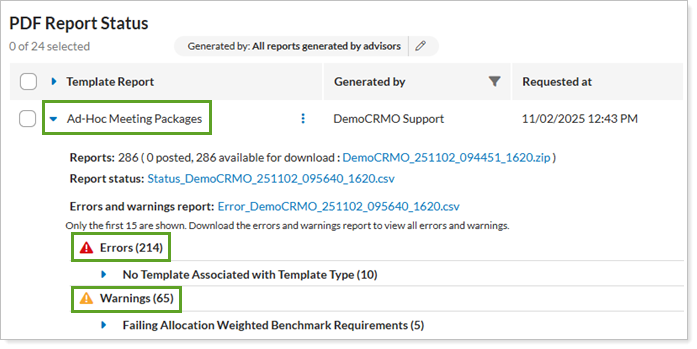
The core functionality remains the same. These updates focus on improving usability, visual consistency, and overall user experience.
Updated Multifactor Authentication (MFA) Password Requirements
Keeping your data secure is of paramount concern to us. That's why with this release, we adjusted password requirements to encourage more robust password use. We have introduced a new layer of security for all users: Multi-Factor Authentication (MFA), sometimes called dual-factor authentication.
MFA requires both a password and a second verification method. In the past, some Tamarac users opted out of using MFA or relied only on challenge questions, which are less secure.
To continue protecting your data, Tamarac is introducing the following updates to the sign-in process:
-
MFA required for all users. Anyone signing directly into the Tamarac platform with a password must now use MFA. This applies when you sign into Tamarac and to your clients when they sign into the client portal.
-
Challenge questions replaced. Challenge questions are being phased out and replaced with email-based one-time passwords. One-time passwords are already available today and will become the default after the November release.
This change only affects users who sign in with a password and either use challenge questions or don't currently use MFA. If you already have SMS authentication enabled, no action is required.
For more information about multi-factor authentication in Tamarac, see Manage Dual Factor Authentication for Firm Users and Manage Dual Factor Authentication for Your Clients.