
Contents
Client Portal Enhancements
New Bond Analysis Report
The Bond Analysis report gives you and your clients helpful tools to spot trends and find opportunities in a portfolio. That’s why, with this release, you can include the Bond Analysis report in client portal. Use it to share clear, detailed information with clients that shows when their bonds will pay back the principal.
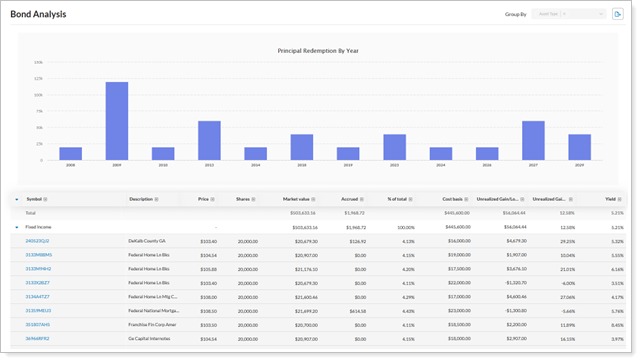
With this update, you can:
-
Use all Holdings report settings in the Bond Analysis Report.
-
See new columns for a deeper look at bond holdings.
-
View a dynamic bar chart showing principal redemptions by year.
-
And more.
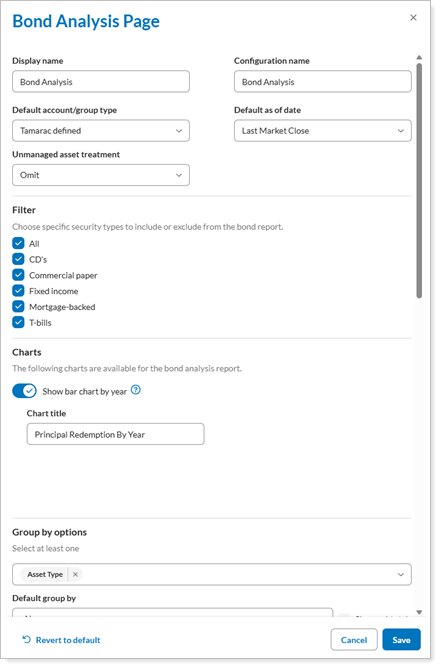
You can configure this report in the client portal Configuration Tool. For more see Add and Remove Pages from a Reports Template for details.
Simplify large table data in reports
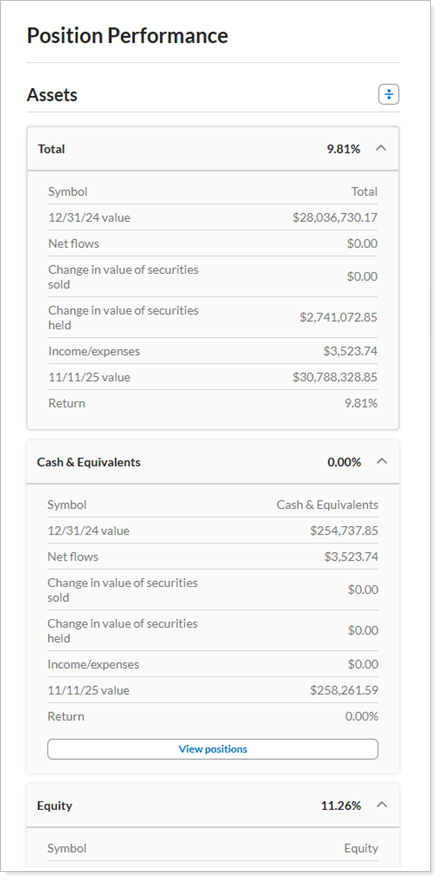
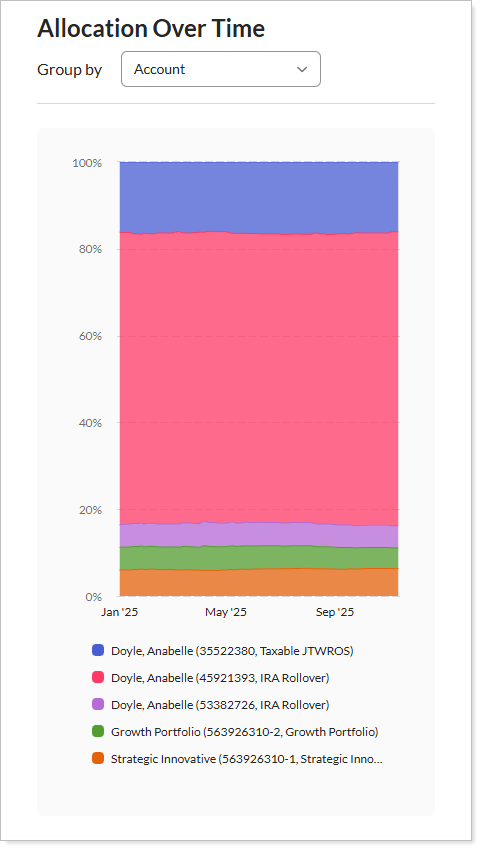
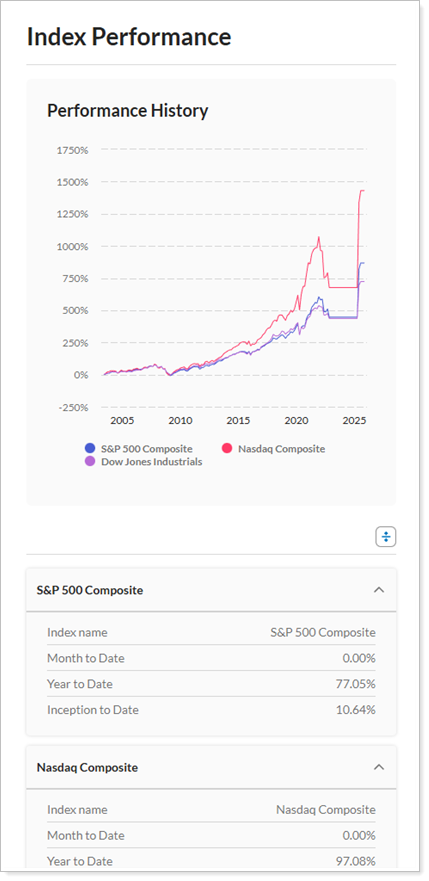
Tamarac offers a wealth of data in fully customizable tables. Sometimes, the amount of information displayed becomes difficult to see, especially on smaller screens. With this release, we are introducing a new card-based structure that lets you to transform large table data into a compact, user-friendly view. This new design improves usability and readability for smaller screens, like mobile devices and tablets.
The following reports are impacted by this change:
-
Position Performance
-
Asset Allocation Over Time
-
Index Performance
Use SMA Categories on the Allocation page and widget
We’re excited to announce that you now have more control over how your assets are organized on both the asset allocation page and the widget. With this release, we've added a new setting called Use SMA categories that lets you choose how you want your categories to work.
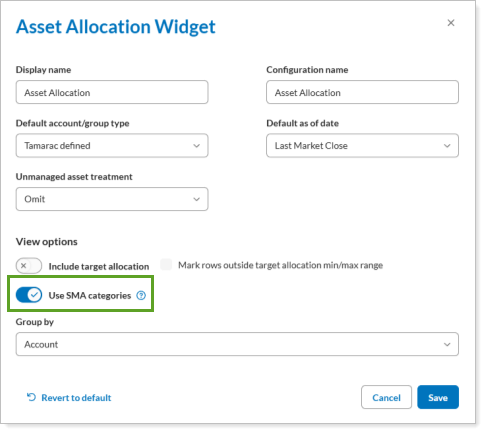
Before, the asset allocation report and widget always used SMA categories by default. Now, you can decide if you want to use the categories from your account’s investments, or the SMA categories that are set up at the account level. This gives you more flexibility to manage your assets the way you prefer. To use this feature, turn on the Use SMA categories toggle, and save your changes to apply the configuration.