
Contents
Introduction
With Tamarac’s Envestnet Unified Managed Account (TUMA) integration, you can seamlessly transition existing Tamarac accounts to Tamarac UMAs through the Envestnet Proposal tool.
This topic provides details on the specific settings you should use when creating a proposal that converts Tamarac accounts to Envestnet Unified Managed Accounts.
Before You Start
This is step three in the workflow to transition existing Tamarac accounts to TUMA accounts.
Before you start here, complete the previous steps in Transition Existing Accounts to Tamarac UMAs on Envestnet.
Proposal Properties
In this step, review the pre-filled values and select Save and continue.
Risk & Objective
In this step, enter risk details:
-
In Risk Tolerance, choose the appropriate risk tolerance or complete the risk questionnaire. This risk tolerance only applies to the accounts traded on the Envestnet platform.
-
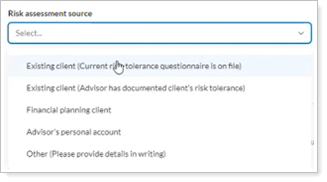
If applicable, in Risk assessment source, select how you know your clients’ risk tolerance.
-
Confirm and agree to the conditions.

-
In Investment Objective, select your best estimate. Envestnet looks only at accounts you’ve established through the Proposal tool, even if they’re part of a larger household group in Tamarac.

-
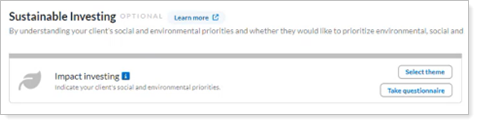
Optionally, if configured for your firm, complete the Sustainable Investing options.
-
Select Save and continue.
Account Strategy
In this step, select Envestnet products:
-
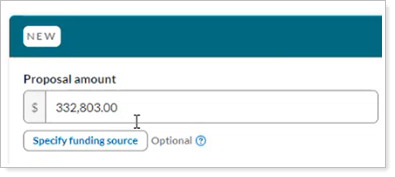
Review the Proposal amount. The dollar amount is the total from all the accounts you selected to transition.
-
If you selected more than one account, you'll see the first account from the list here. If you’re transitioning more than one account, select +New account to add the other accounts. For more information about creating accounts in the Proposal tool, see the Envestnet Help Center.
-
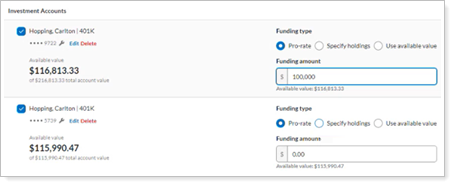
Optionally, to partially invest funds select Specify funding source. In Funding amount, enter the dollar value to invest from each account. Select Save & update proposal amount.
-
Enter the Registration type, Owners, and Custodian.

-
In Investment, choose your approach:
- Select an existing strategy
Depending on your configuration, you can use your existing Envestnet UMA models, select an FSP option, or choose something from the RIA Marketplace.
Example
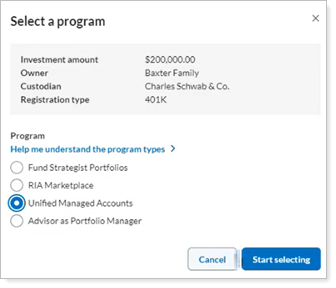
To choose an Envestnet UMA model you’ve already created, select Unified Managed Accounts and then select Start selecting.
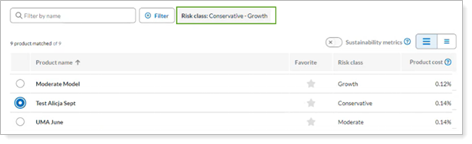
Filter all risk classes and choose from your existing models. Select Select product to continue.
- Create a custom strategy
Create your own UMA model or select SMA models.
Example
To build a new UMA model, select Unified Managed Accounts.
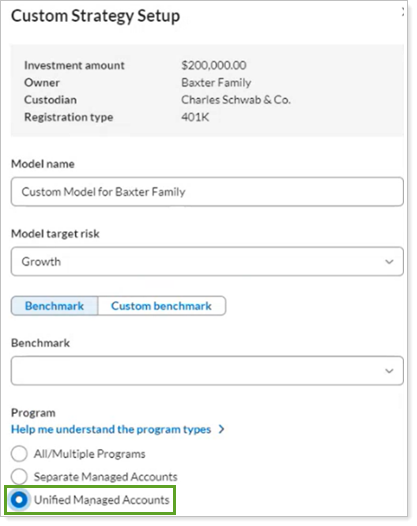
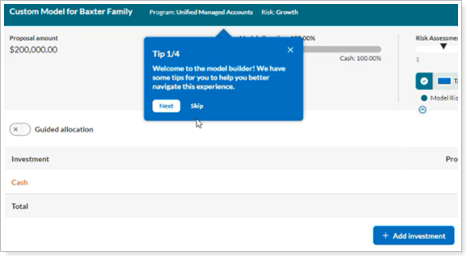
Select Start building. In Model Builder, manually add investments to the model, or you can import holdings from an existing model to get started. Select Save.
Example
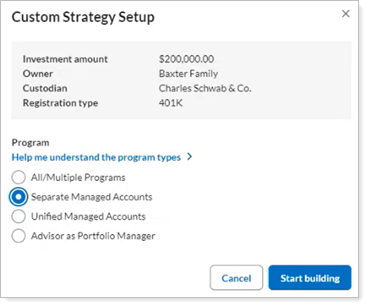
To choose SMAs, select Separate Managed Accounts and then select Start building.
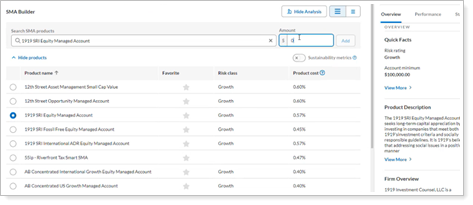
Choose one or more SMAs that meet the specific minimum. Specify the dollar amount to invest for each and select Save & update proposal amount.
- Select an existing strategy
-
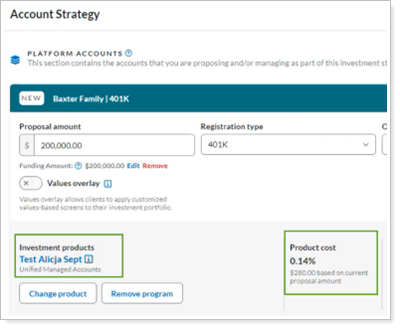
Review the Investment products you’ve attached to see how the TUMA will invest. The Product cost is the Envestnet and Tamarac platform fee, plus additional manager fees you may have added. Envestnet takes the fees quarterly in advance from the TUMA account and pays the appropriate parties.
When billing, you'll continue to charge the Tamarac advisor fee as usual, in addition to the TUMA fees.
-
Select Save and continue.
Preview
In this step, optionally preview the strategy you selected. We recommend you select Skip to bypass this step until you enter fees in a later step.
Account Setup
In this step, define account and household customizations as described below. When done, select Save and continue.
Rebalance Frequency
Envestnet requires a rebalance frequency. To set the rebalance frequency, in Account Settings select  .
.
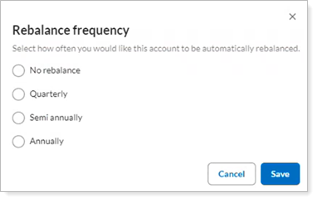
Envestnet evaluates UMA accounts daily for trading triggers:
-
Cash is high or low.
-
You update a model.
-
You request an action like raise cash or invest cash through an Envestnet Service Request.
Envestnet detects that the elapsed time since the last trading date equals the rebalance frequency. In an automatic rebalance, trades won’t generate if the account is still within drift and consistent with your settings.
Household Restrictions
Optionally, to set up security restrictions for the household on Envestnet, in Household Security Restrictions select .
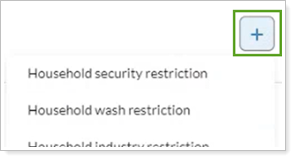
Security Restrictions
Optionally, to set up security restrictions for an individual account on Envestnet, in Security Management select .
Cash Management
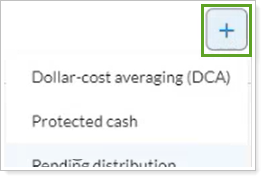
Optionally, to add cash maintenance instructions, in Cash Management select . Dollar-cost averaging (DCA) applies after the initial dollar value invests into the strategy, and it won’t occur unless the minimum value for the investment is met.
Fees
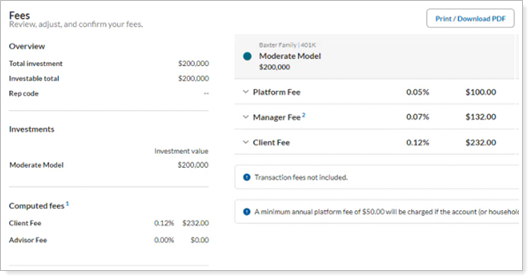
In this step, review the fees.
For TUMA accounts, the Client Fee is the Envestnet and Tamarac platform fee plus additional manager fees you may have added. On top of this fee, you’ll continue to bill the Advisor Fee on Tamarac as you normally would. In Envestnet, the standard Advisor Fee is 0.0%.
Summary
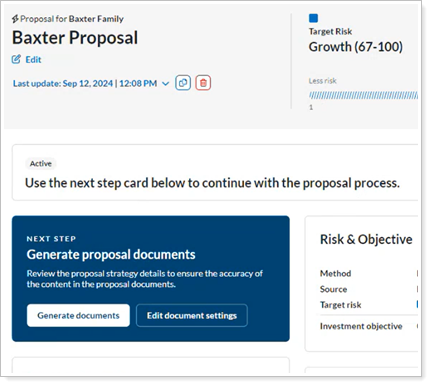
In this step, generate the Statement of Investment Selection (SIS) for your client to sign.
-
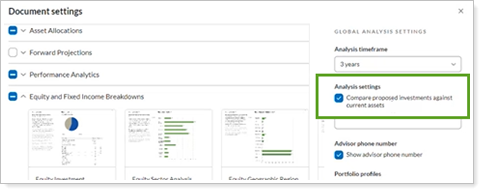
Optionally, to select which reports to show to your client, select Edit document settings.
To compare a household’s Tamarac accounts with its TUMA accounts in reports, in Analysis settings, select Compare proposed investments against current assets.
-
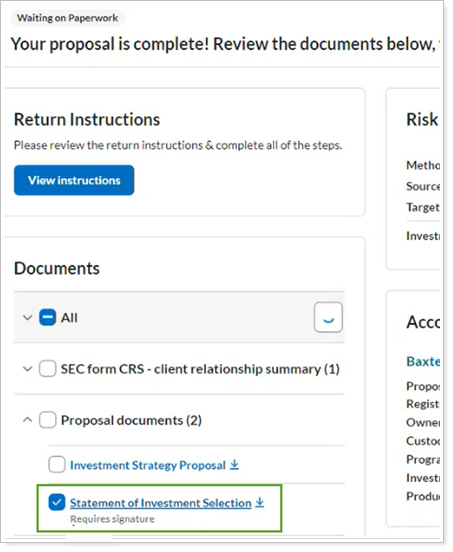
To create the required Statement of Investment Selection (SIS), select Generate documents.
-
Select Statement of Investment Selection to download the Statement of Investment Selection (SIS) for your client to sign.
-
Optionally, select Investment Strategy Proposal to see the proposal reports and show them to your client.