
Contents
Introduction
Each page in the MoneyGuide Dashboard provides access to tools and information that help you monitor progress, review financial data, and stay aligned with your planning goals.
Before you start
You must have the MoneyGuide integration enabled and set up for your firm. For more information, see Initial Set Up for the MoneyGuide Integration.
MoneyGuide Overview page
For firms that use MoneyGuide integration, the Overview page is the starting point for MoneyGuide in Tamarac. It brings together key plan details so you can more quickly review a client’s financial position.
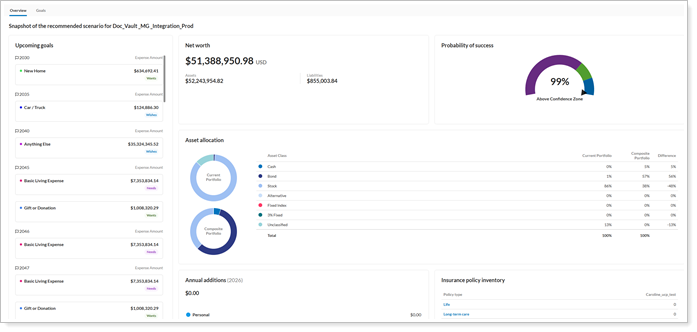
From this page, you can:
-
View the probability of success.
-
Review household and plan details.
-
Open the full MoneyGuide plan through single sign-on (SSO).
-
Go to pages like Goals and Net Worth.
The page also helps you identify missing data, like when a household doesn’t have a plan; an account isn’t linked to a household, or plan data isn’t available. Tamarac receives plan data in real time from MoneyGuide. This gives you faster access to important plan information in Tamarac.
To access the Goals page, select the Overview tab from the MoneyGuide dashboard.