
Contents
Introducing the updated Security Level Models page
We’re refreshing the Security Level Models page with a modern layout that improves navigation, readability, and usability.
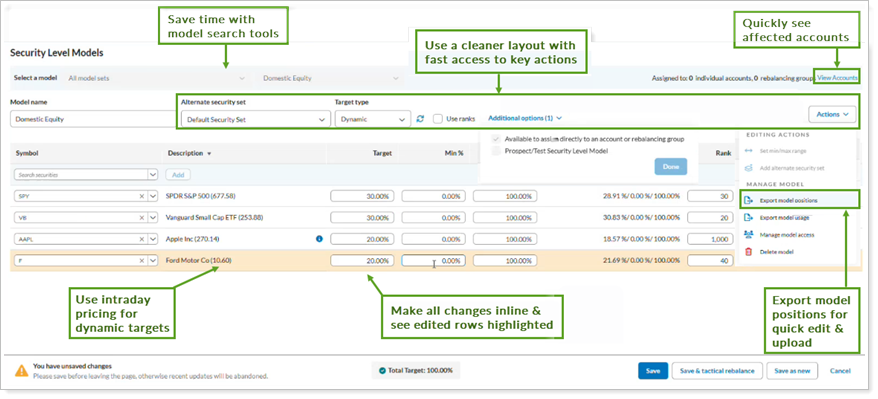
This update will introduce capabilities to support more efficient model management, including:
-
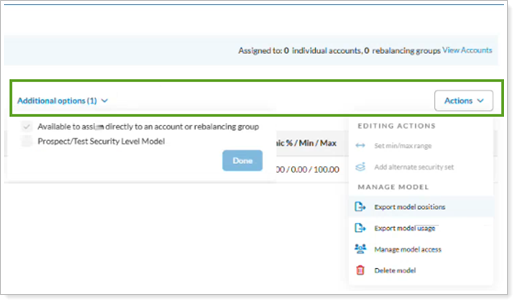
Streamlined actions. Access common actions like adding alternate security sets, setting min/max range, and managing model access more easily with an enhanced Actions menu.
-
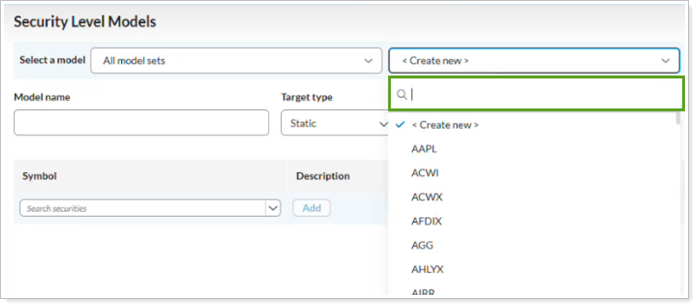
Model search. Find models quickly using the search tool instead of scrolling through long lists.
-
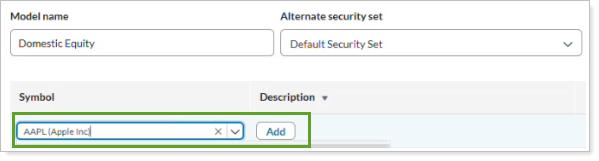
Inline editing. Update securities and position details directly on the page without opening a separate screen.
-
Visual change indicators. Identify updated rows with a visual highlight.

-
Dynamic pricing visibility. View intraday pricing updates directly in the security description when working with dynamic model targets.
-
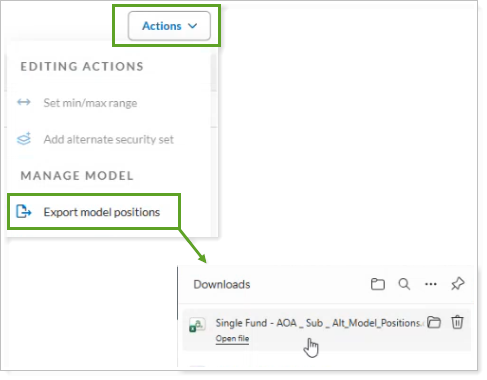
Flexible bulk updates. Export model positions to edit large models, and re-import them using the existing upload Securities in Security Level Model workflow.
For more information about how to use the Security Level Models page, see Security Level Models – Introduction and Navigation.