
Contents
|
Streamline Fixed Income Trading With the Order Blotter |
Streamline Fixed Income Trading With the Order Blotter
We’re excited to announce the launch of our new Order Blotter page designed to streamline and enhance the management of fixed income trades. This powerful tool comes equipped with several key features to help you manage fixed income orders more efficiently and effectively.
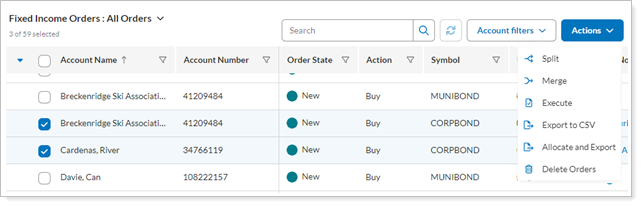
Manage Orders Centrally
From the Order Blotter, bond traders can manage generic bond orders sent by multiple portfolio managers for client accounts custodied at various custodians. This simplifies oversight and coordination, making it easier to handle complex portfolios and diverse custodial relationships.
Manage orders with Views
As a bond trader, you may need a subtotal of the value of all orders for a specific symbol. Or you may want to summarize new, filled, or allocated orders. Views let you tailor your page display for maximum efficiency and data insight.
For example, when you use a view that identifies new orders:
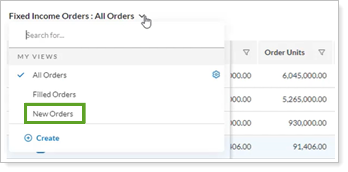
Your Order Blotter page is filtered to show only orders that match the view's criteria.
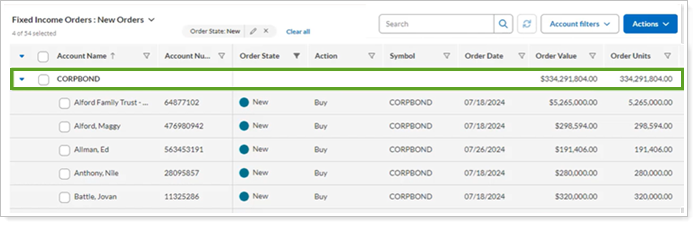
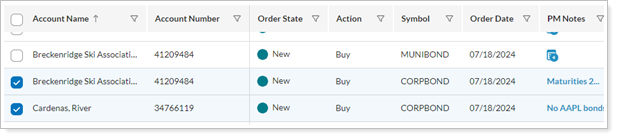
Select Accounts
Select account orders to fill after trading bonds.
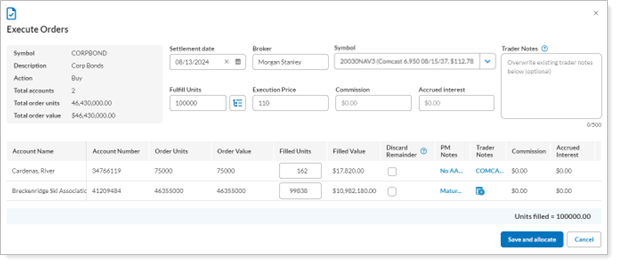
Enter Execution Details
Enter execution details for the selected orders.
Allocate Filled Orders
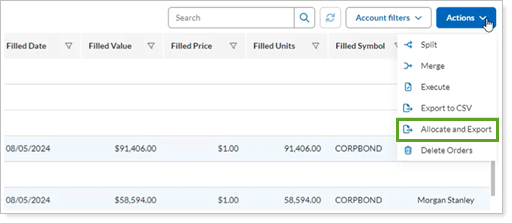
Allocate filled orders to client accounts in Tamarac. As the bond trader, you’ll still need to handle the actual allocation of bond units to client accounts at the custodian or executing entity using the CSV export provided.
Automatically Update Holdings
Seamlessly update holdings based on the orders in your blotter. This integration ensures that your portfolio reflects the most current information, eliminating manual updates, reducing the risk of discrepancies and overspending cash.
Automatically reconcile transactions
Executions entered in the blotter automatically reconcile with transactions your custodian sends in the morning sync. This streamlined process helps you quickly identify and resolve mismatches to ensure accurate and up-to-date records, holdings, and cash balances in your clients’ accounts.
Access the Order Blotter Page
When enabled, you can:
-
Send generic fixed income trades to the Order Blotter from the Trade List.
-
Access the Order Blotter in the Rebalance & Trade menu.
Enroll to Use the Order Blotter Page
This feature is not enabled by default. To enable your firm for this feature, contact the Tamarac Account Management team at TamaracAM@envestnet.com.
Learn More
For more information, see Manage Fixed Income Orders on the Order Blotter.