
Contents
How Axis Scale Works
| Applies to: | ||
|---|---|---|
| Dynamic | Client Portal | |
This setting allows you to customize the scale of the y axis on the Account Performance line chart, if desired.
You might do this if you had a return that was well outside the rest of the range that you wanted to display, for example, if your client had an extremely volatile holding.
Tamarac recommends that you do not change this value.
In Dynamic Reports
This setting is available for PDF reports only.
In PDF Reports
-
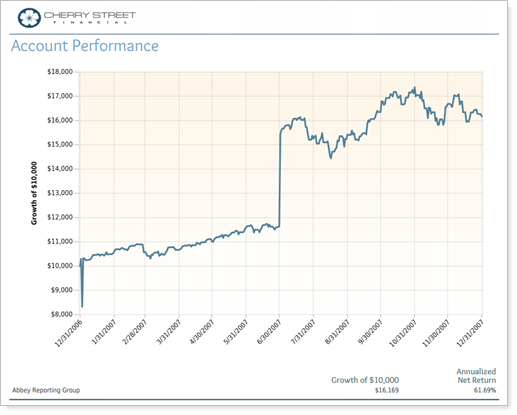
The axis scale is set to $10,000 by default.
For example, this y-axis scale is shown with the default setting of $10,000.
-
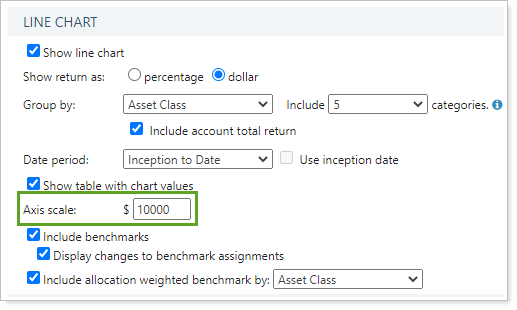
To designate your own custom axis scale, type in the scale in dollars in the Axis scale field.
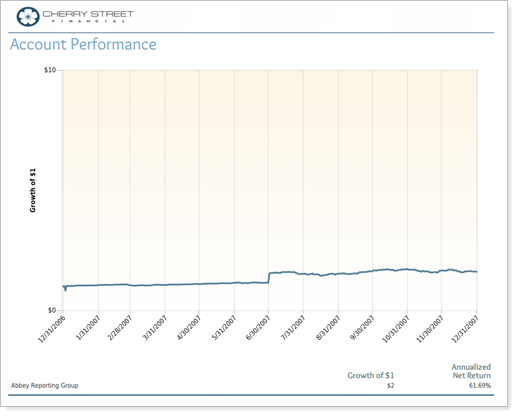
For example, this y-axis scale is shown with a custom setting of $1.
Reports With This Setting
Performance ReportsRelated Settings
The following setting interacts with this option: