
Contents
Introduction
Client birthdays are an opportune time to show appreciation and make clients feel personally valued, so integrating birthday reminders into your daily processes is key to timely birthday wishes.
With Power Automate, you can take advantage of the Tamarac flow template, TamTemplate – Birthday Reminder, to more easily replace the legacy Birthday Reminder workflow and customize it further.
For more information on alternative flow templates, see Use Power Automate Flow Templates.
This article covers details on the Tamarac Birthday Reminder Power Automate flow template.
Before You Start
You must have appropriate permissions to use and enable Power Automate flows.
The following are the roles and permissions available:
| user | permissions |
|---|---|
| Any User with Dynamics 365 License |
|
| CRM System Administrator or Global Admin for Microsoft 365 |
|
Birthday Reminder Flow
When a client’s birthday arrives, the Power Automate flow triggers a personalized email reminder or an in-app notification to team members based on assigned CSA or Primary Advisor for a client in CRM.
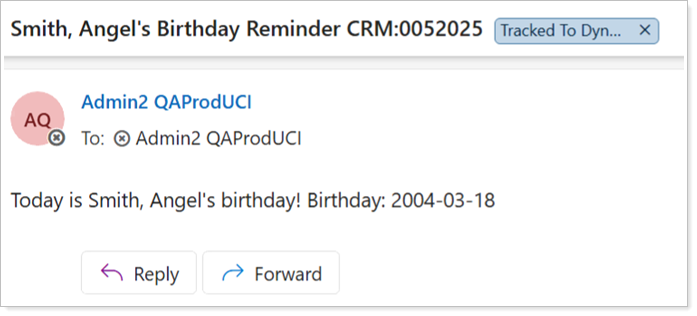
|
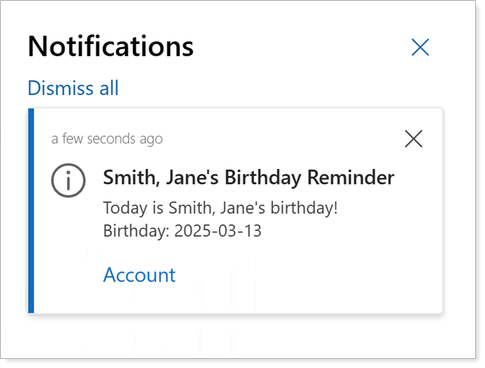
|
The following table outlines the conditional actions for the Birthday Reminder Power Automate flow in Tamarac CRM:
| flow step | action | conditions |
|---|---|---|
| 1 | A Contact is eligible for the Birthday Reminder Power Automate flow. |
|
| 2 | The Birthday Reminder Power Automate flow triggers. |
|
| 3 | The flow triggers a review of the assigned Client Services Associate (CSA) or Primary Advisor on the client’s Account to determine the reminder type. |
In the following order, the flow reviews:
|
| 3.1 | The flow automates an email reminder to the CSA only. |
The following users must be assigned to a client’s Account:
|
| 3.2 | The flow automates an email reminder to the individual User assigned as Primary Advisor. |
The following users must be assigned to a client’s Account:
|
| 3.3 | The flow automates an in-app notification to all members associated to the Team assigned as the Primary Advisor. |
The following users must be assigned to a client’s Account:
|
For more information about the legacy Birthday Reminder automated business process, see Automated Business Processes for Tamarac CRM.
Enable the Birthday Reminder Flow
To implement this flow, we recommend you create a copy of the TamTemplate – Birthday Reminder template instead of turning on the template flow directly.
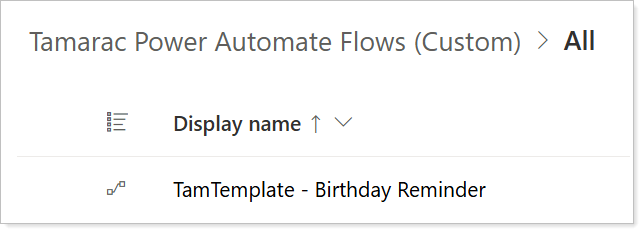
With a copy of the template, you can choose to maintain all the components or further customize it to meet your firm’s needs.
To enable the Birthday Reminder Power Automate Flow, a Global Admin user must:
-
Disable the Birthday Reminder legacy workflow.
-
Add the template to the Tamarac Power Automate (Custom) Solution.
-
Create a copy of the flow template.
-
Optionally, make changes to your copied flow.
-
Turn on the flow.
For steps, see Enable Power Automate Flows.