Contents
|
See Schwab Beneficiary Data in CRM Update Beneficiary Information Enable the Schwab Beneficiaries Integration |
Introduction
This integration offers a one-way daily sync of primary and contingent beneficiary information from accounts in Schwab Advisor Center into eligible Tamarac CRM financial account records. Once enabled, updates made in Schwab will sync under Custodian Beneficiaries for the financial account record within one business day.
Please note that this integration is different from our existing Dynamics Beneficiaries integration and the two record types will remain distinct and separate.
This topic provides information about how to enable and use the Schwab Beneficiary integration.
Before You Start
Before you can enable and use this feature, you must:
-
Enable the Schwab integration. For steps, see Enable the Schwab Integration.
- Enable the Schwab SSO integration. For steps, see Schwab Single Sign-On (SSO) Integration.
See Schwab Beneficiary Data in CRM
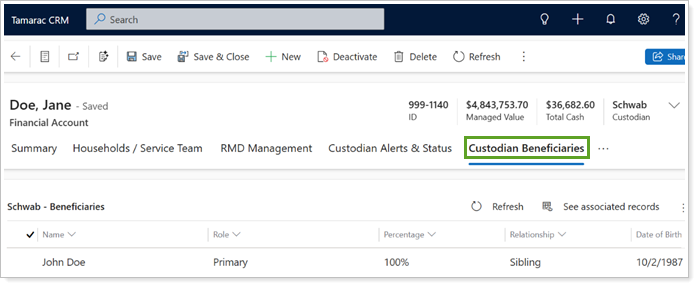
Once you enable the Schwab Beneficiaries integration, all eligible financial account records with beneficiary data in Schwab Advisor Center will sync under the Custodian Beneficiaries tab on the record.
The integration syncs and displays key beneficiary data from Schwab such as:
-
Name: Beneficiary’s name.
-
Role: Beneficiary designation from Schwab, including all supported beneficiary types, such as Primary, Contingent, Trust, Organization, and more.
-
Percentage: Beneficiary’s distribution percentage.
-
Relationship: Beneficiary’s relationship to the account owner.
-
Date of Birth: Beneficiary’s date of birth.

Update Beneficiary Information
This is a one-way integration. You can view the data in Tamarac CRM, but you must make any necessary adjustments directly in Schwab Advisor Center.
Enable the Schwab Beneficiaries Integration
The Schwab Beneficiaries integration is disabled by default.
To turn on the Schwab Beneficiaries integration:
-
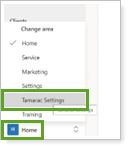
In Tamarac CRM, in the bottom left under Home, select Tamarac Settings.
-
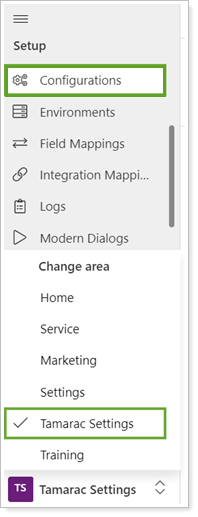
Under Setup, select Configurations.
-
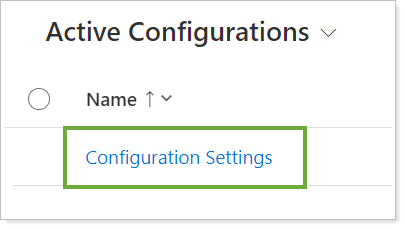
Select Configuration Settings.
-
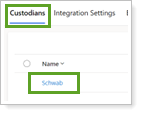
To open the configuration page, in Custodians, select Schwab.
-
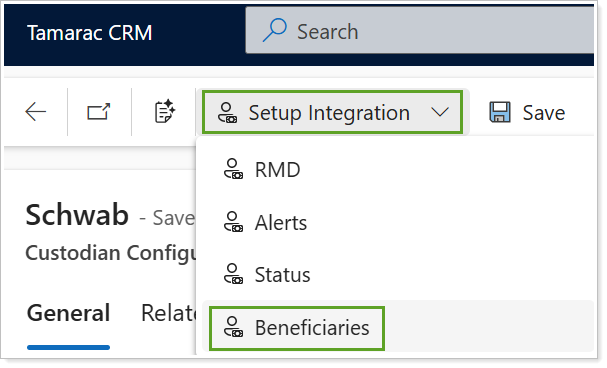
Under Setup Integration on the command bar, select Beneficiaries. The Schwab integration must be enabled to complete the Beneficiaries integration setup.
-
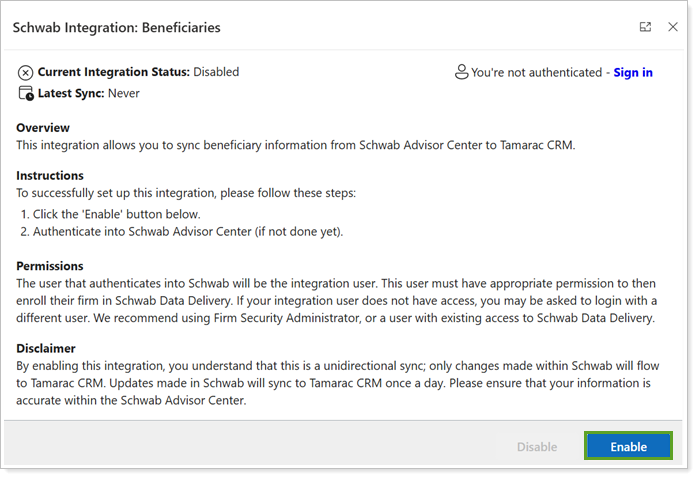
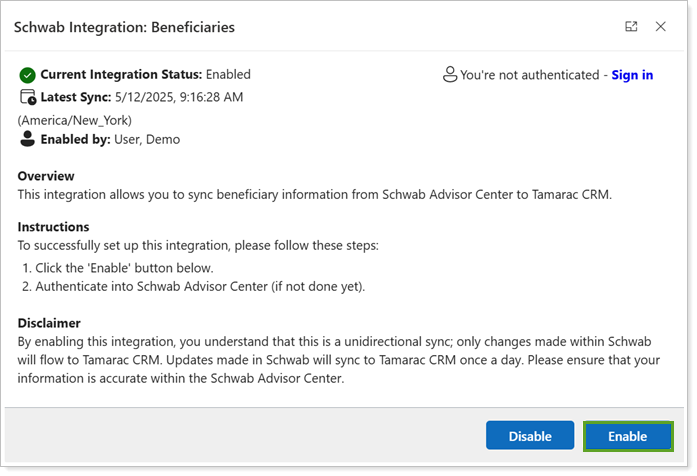
In Schwab Integration: Beneficiaries, select Enable.
-
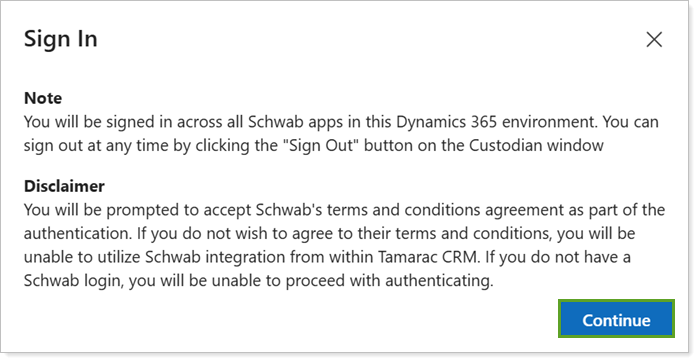
If you aren’t already authenticated in Schwab, you must enter your credentials. Review the Note and Disclaimer, then select Continue.
-
If you need to sign in, you’ll be redirected to Schwab. Sign in using your credentials and select Continue.
-
Enter the security code and select Continue.
-
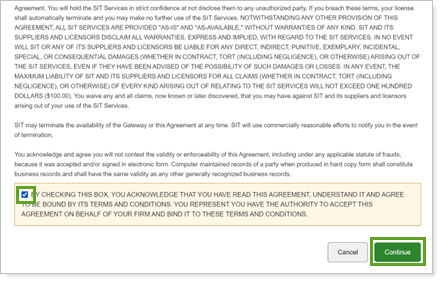
Select the check box to acknowledge and select Continue. You can close the tab when you've completed the authorization.
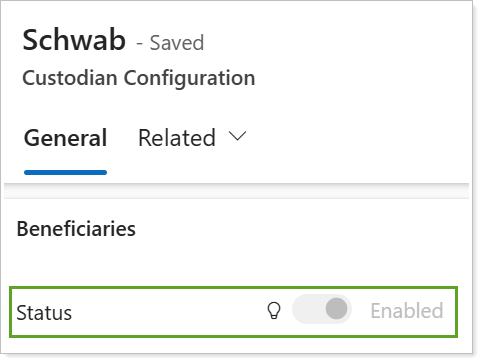
In Tamarac CRM, the Beneficiaries integration is now enabled.
Disable the Schwab Beneficiaries Integration
If you disable the Schwab Beneficiaries integration, any beneficiary data that syncs before disabling the feature will remain accessible under Custodian Beneficiaries on financial account records. Once the integration is disabled, no updates will sync from Schwab Advisor Center to these existing beneficiaries in Tamarac CRM.
To turn off the Schwab Beneficiaries integration:
-
In Tamarac CRM, in the bottom left under Home, select Tamarac Settings.
-
Under Setup, select Configurations.
-
Select Configuration Settings.
-
To open the configuration page, in Custodians, select Schwab.
-
Under Setup Integration on the command bar, select Beneficiaries.
-
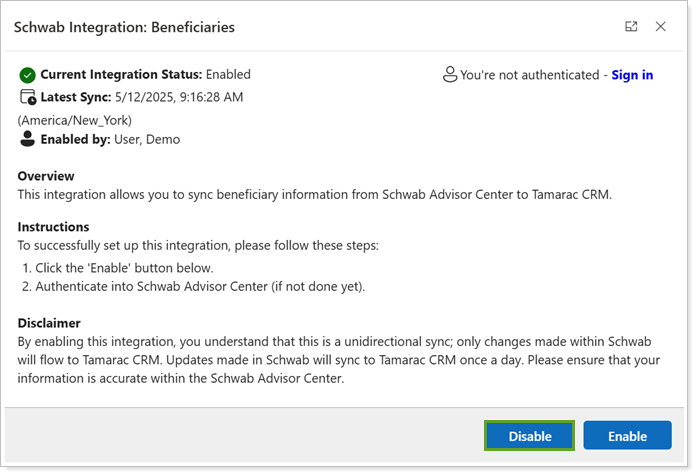
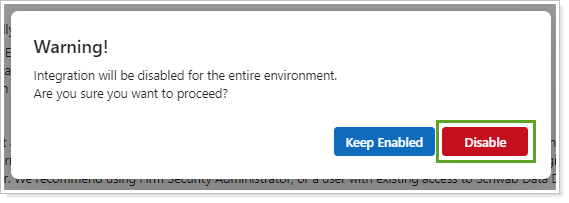
In Schwab Integration: Beneficiaries, select Disable.
-
In the confirmation, select Disable.
Change the Integration User
If you need to change which user is associated with the Beneficiaries integration, you can update the username and credentials. You only complete this process when the integration is already enabled.
To change the integration user:
-
In Tamarac CRM, in the bottom left under Home, select Tamarac Settings.
-
Under Setup, select Configurations.
-
Select Configuration Settings.
-
To open the configuration page, in Custodians, select Schwab.
-
Under Setup Integration on the command bar, select Beneficiaries.
-
In Schwab Integration: Beneficiaries, select Enable.
-
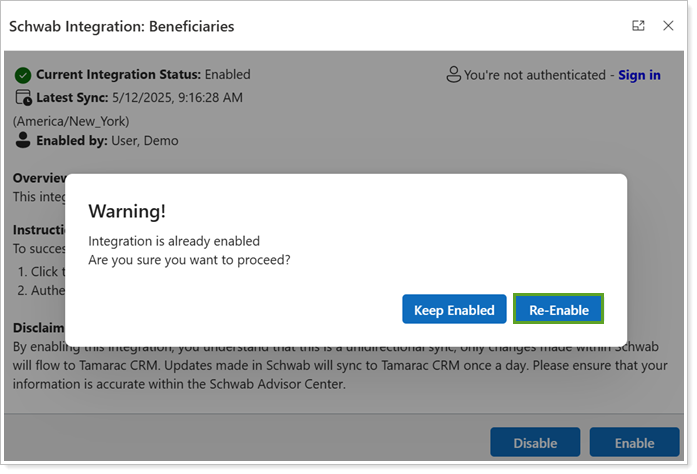
In the confirmation, select Re-Enable.
-
Follow the prompts to enter your password and security code and accept the agreement as your user. Once completed, the integration will be enabled under your user.
See When the Last Beneficiary Sync Occurred
Beneficiary information syncs daily, with a one-way flow from Schwab Advisor Center to Tamarac CRM. Only changes made in Schwab Advisor Center will appear in Tamarac CRM. The data is current as of the end of the previous business day.
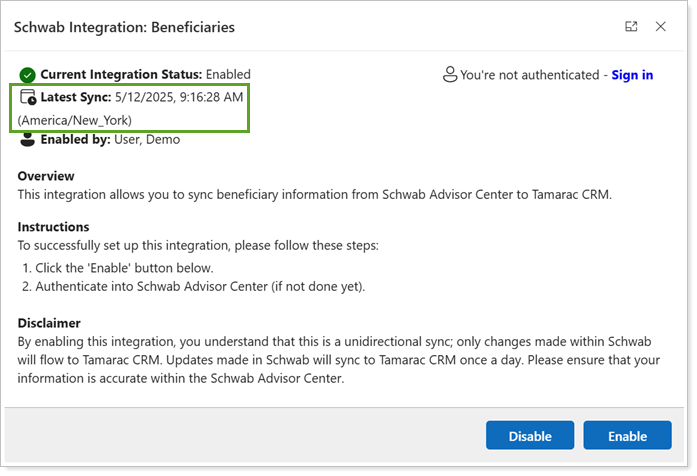
To see the latest synchronization data, you can routinely review the Schwab Configuration page under Setup Integration and Beneficiaries.
The most recent synchronization date and time appears in the Schwab Integration: Beneficiaries modal under Latest Sync.