Contents
|
New look and feel for Aggregated Accounts |
Tamarac Makeover Updates
New look and feel for Aggregated Accounts
We’re continuing to enhance the look and feel of Tamarac pages throughout the platform and recently updated the Aggregated Accounts page.
On this page, you will see that the grid has a new look. We've refreshed the header, color scheme, search bar, and the icons. As always, the core functionality remains the same. The changes are focused on UI elements and aim to improve the user experience and visual consistency.
Aggregated Accounts Page Changes
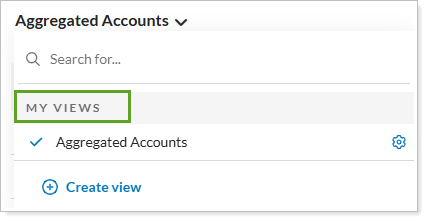
The Actions menu has been moved to the right side of the screen and you can now access Views by selecting the page title.
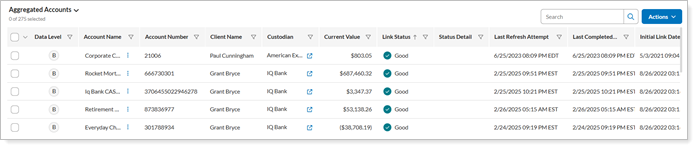
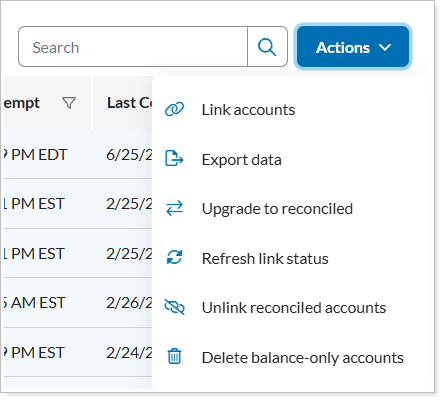
Other UI changes include:
-
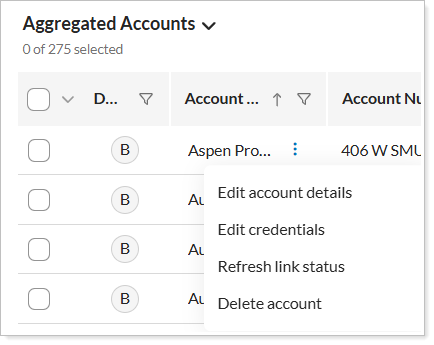
Access account actions in the row.
-
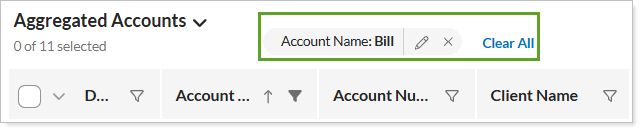
View and clear column filtering above the grid.
-
Select Compact or Default view for the grid.

New Client Portal
Group by Activity Type or Money Security
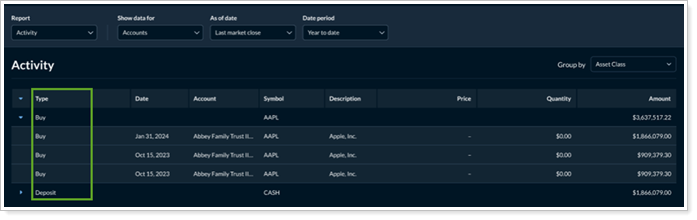
In the past, the Activity page showed all the transactions in a flat list. This made it difficult to see patterns or organize the data meaningfully. Now, you can group the Activity page by activity type or money security to provide a more organized view of transactions for your clients.
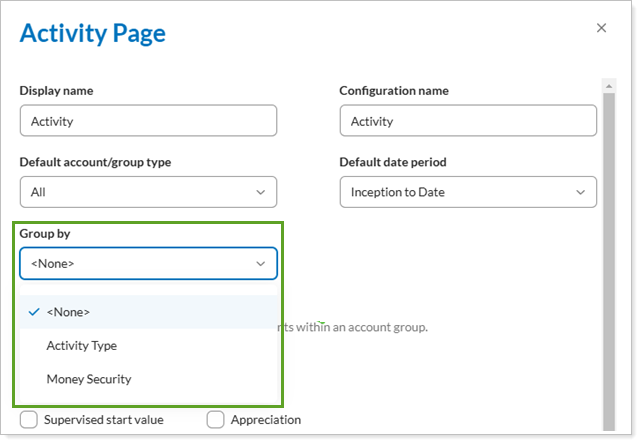
To designate the grouping on the page, in the Configuration Tool, on the Activity page, set Group by as desired:
-
Activity type: Shows all of the transactions in a neatly grouped and totaled section.
-
Money security: Shows how transactions are affecting specific money securities, each with a subtotal at the end of the section.
Include Unmanaged Assets on Intraday Summary Widgets
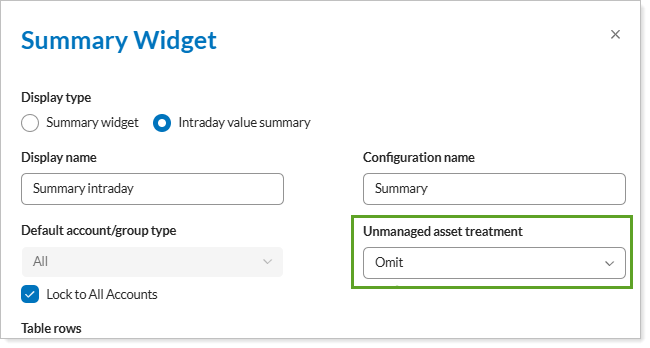
Previously, the intraday view of the summary widget only showed managed asset values. With this release, you will be able to include unmanaged assets and configure the widget with the appropriate unmanaged asset treatment. This will allow you to more precisely display your clients' account values, since some clients may have large unmanaged values and other may have none.
To add these new columns on the page, in the Configuration Tool, on the Summary widget, if you selected Intraday value summary, you can also set its Unmanaged asset treatment.