Contents
New Document Labels and the Description Columns
New Client Portal
New Document Labels and the Description Columns
With this release, we have update the new Client Portal to include document labels and the Description field as filterable and sortable columns. The Description column assists clients in identifying downloaded documents, while the Label column aids in navigating through various document types.
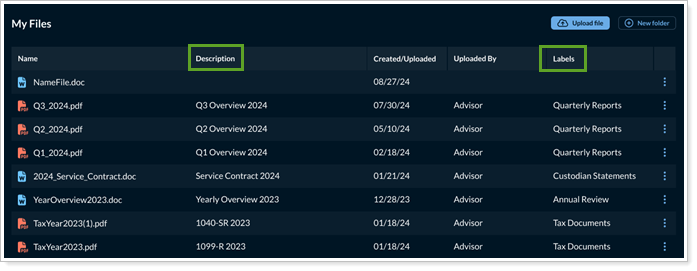
See Introduction to the New Client Portal Document Page for more information.
Save Report Table Changes
We understand how important customizations can be for your clients. With this release, any update or change your client makes to report tables will be saved and persist across sessions. This means that their personalized view, which could include reordering columns to prioritize data will not be lost when you navigate away from the page. This enhancement will give your clients a higher level of customization that will enhance how reports work for you and them.
If after they make changes, they wish to return to the format set by the template, they can select Revert to default.
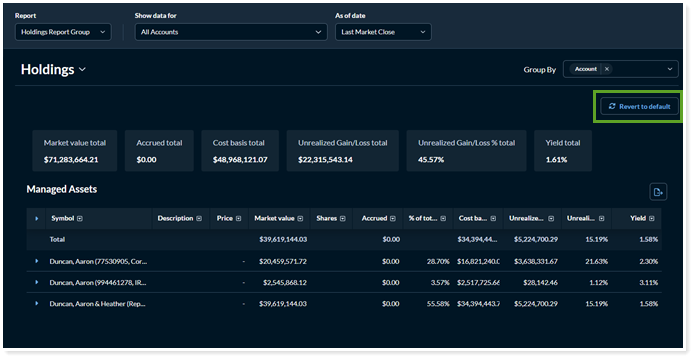
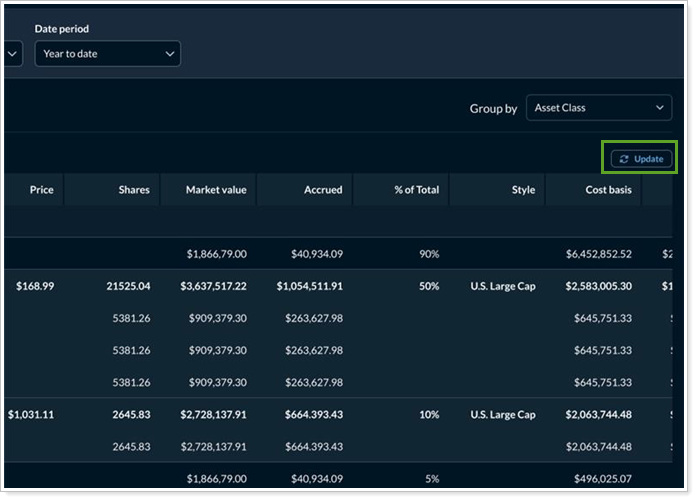
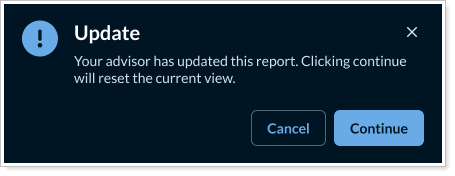
If you make a change to the same report table, the Report to default option will change to Update. This gives the client the option to accept your change and apply it to their view.