
Contents
Work directly with account notes, trade reason, and allocation charts from a Rebalance Summary widget
As an advisor, you need quick access to account context while reviewing and executing rebalances. Previously, critical information like account notes and reason for trading required opening separate dialogs or interacting in the grid.
To allow you to better understand account intent with reduced navigation steps, we’re redesigning the Allocation Pie Charts widget in Rebalance Summary.
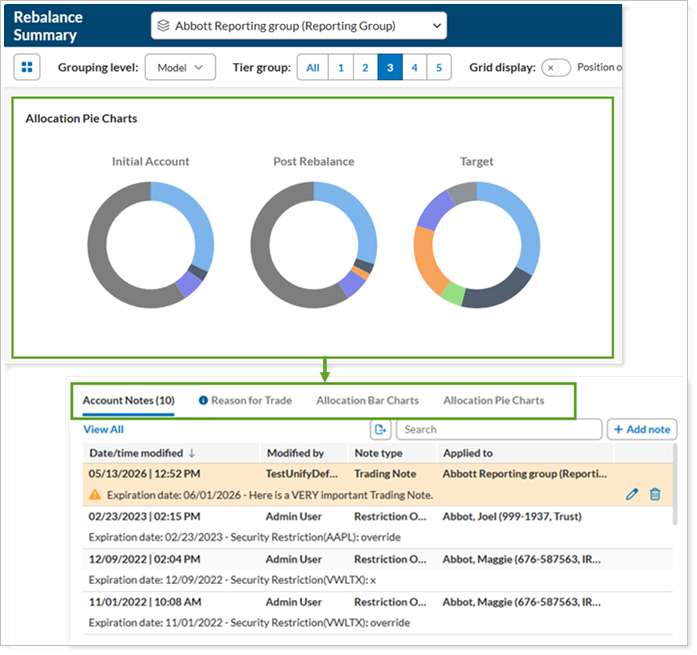
This widget now provides you with multiple tabs that place the most requested information front and center:
-
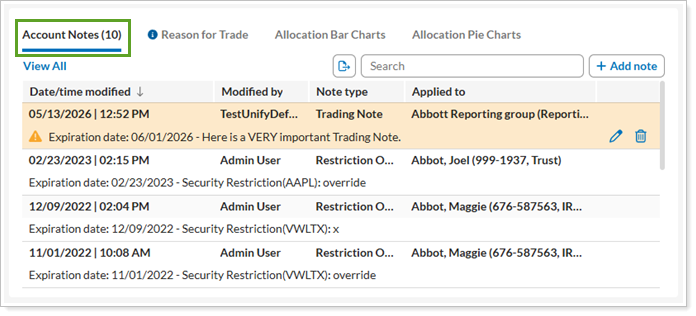
Account Notes. Search, add, and remove account notes directly.
-
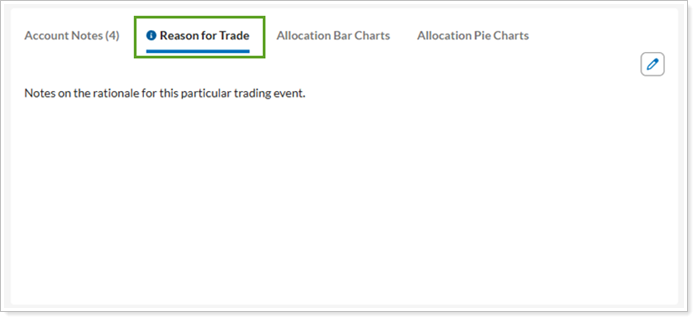
Reason for Trade. View and update the trade rationale.
-
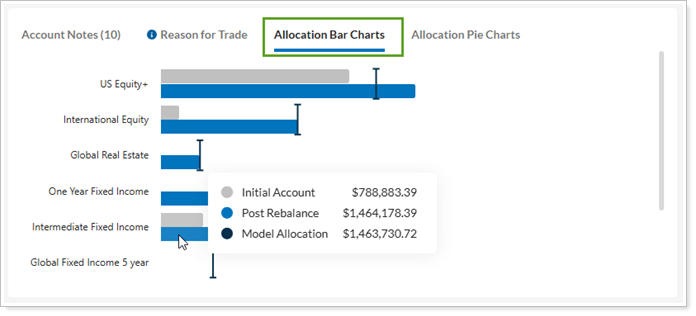
Allocation Bar Charts. See how individual allocations contribute to the whole portfolio.
-
Allocation Pie Charts. As before, view allocations in pie chart format pre- and post-rebalance.
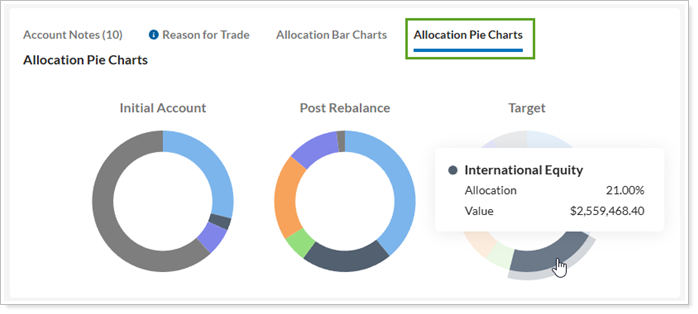
No action is necessary to see these changes. Once we release this feature, it’ll be available when you sign in.
For more information about Rebalance Summary and its widgets, see Reading the Rebalance Summary.
Trade Review now uses the updated experience
In Tamarac Trading, you use Trade Review to validate and finalize proposed trades before execution. Previously, we included both a legacy Trade Review page and a newer experience.
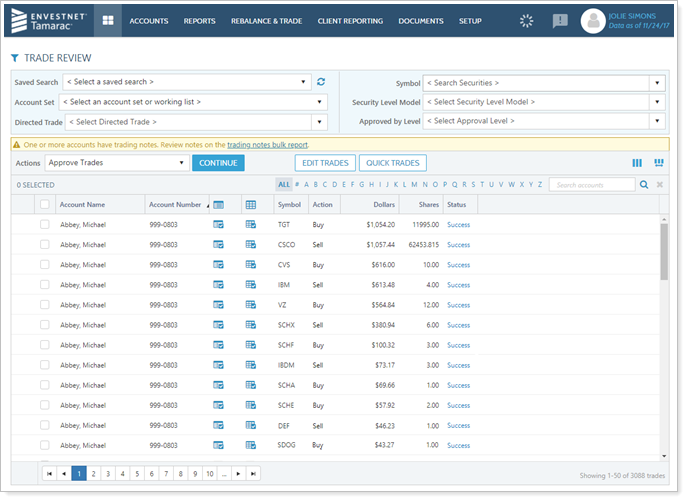
With this release, Tamarac retires the legacy Trade Review page. When you navigate to Trade Review, the platform now takes you directly to the new experience.
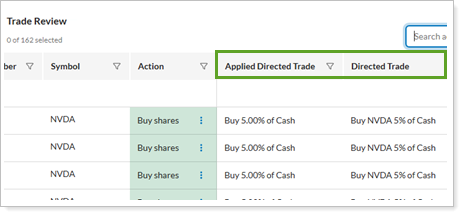
To support this transition, the new Trade Review page now includes columns related to Directed Trades, so you can identify them more easily.
To learn more about using Trade Review, see Trade Review Page Actions, Views, and Filters.