
Contents
New Custom Field Mapping
Sync Custom Fields for Accounts and Groups between CRM and Reporting
In our previous release, we introduced custom field mapping between Tamarac CRM and Tamarac Reporting, giving you the power to capture and sync the unique data that matters most to your firm across the tools you use the most.
Now, we’ve expanded that functionality to include account and group records, further simplifying your workflows and ensuring greater data consistency across platforms.
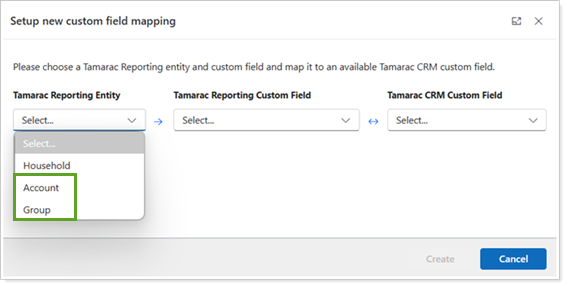
Custom fields for account and group records in Reporting map with Financial Account records in CRM. Just like with Household records, mapped custom fields for Accounts and Groups sync bi-directionally between systems—automatically keeping your data up to date, no matter where you update it.
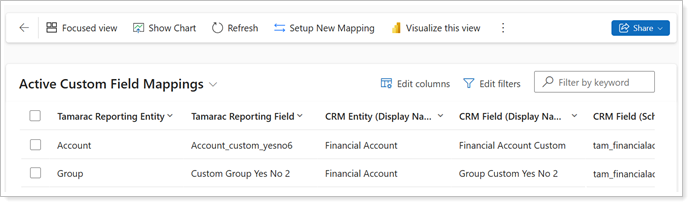
To sync custom fields for accounts and groups between Reporting and CRM, you must complete the following steps in this order:
-
CRM Administrator: Map the custom fields in Tamarac CRM.
-
Tamarac CRM User: Add the mapped custom fields to Financial Account forms.
For more information on mapping custom fields from Tamarac Reporting, see Custom Field Integration.
View Mapping Status for Tamarac CRM Custom Fields in Tamarac Reporting
With the new ability to sync custom fields between Tamarac Reporting and Tamarac CRM, maintaining your mapped custom fields efficiently is crucial.
To help with data management, we’ve added a dynamic status column to the Custom Fields view in Tamarac Reporting that indicates when custom fields are Mapped in Tamarac CRM.
This not only allows you to easily identify custom fields mapping statuses, but also prevents you from mistakenly deleting mapped custom fields or editing information that would impact the data synchronization

To see the Mapped in Tamarac CRM status in Tamarac Reporting, you must have the Tamarac CRM integration enabled.
For more information on mapping custom fields from Tamarac Reporting, see Custom Field Integration.
Schwab Integration Enhancements
Launch Directly Into Schwab Address Change Tool from Tamarac CRM
Keeping client addresses up to date is vital, but managing changes shouldn’t slow you down. Schwab’s digital Address Change tool makes it easier to update records securely, leveraging smart data fields to reduce manual entry and minimize errors in the process.
Now, as part of our ongoing efforts to enhance Schwab integrations, you can launch the Address Change tool directly from Tamarac CRM. This seamless single sign-on (SSO) connection can save you time and allow you to manage updates in your existing workflow.
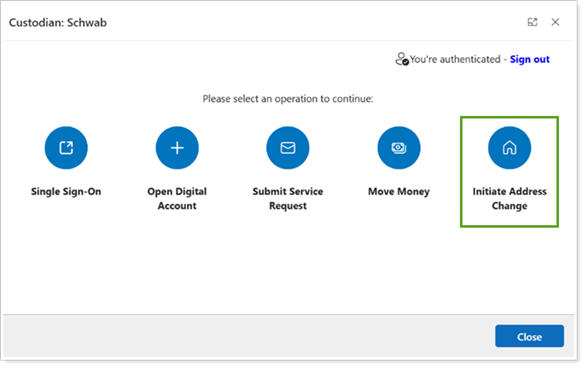
To access the Schwab Address Change tool from Tamarac CRM, the following must be enabled:
- In Configuration Settings: The Schwab custodian integration.
- In Schwab Configuration Settings: The Address Change Tool.
Once enabled, you can access the Schwab integration from Custodians on the command bar of an Account record and select Initiate Address Change to launch the feature in Schwab Advisor Center.
For more information, see Access the Schwab Address Change Tool from Tamarac CRM.
Expanded Data Integration for Schwab Digital Account Opening (DAO)
Last year, we introduced the ability to streamline the account opening process with the Schwab Digital Account Opening (DAO) integration, which can save you time by pushing existing Tamarac CRM contact information directly to Schwab.
With this release, we’ve included the required citizenship and residency fields in the data sync, further reducing manual entry and ensuring data consistency in the process.
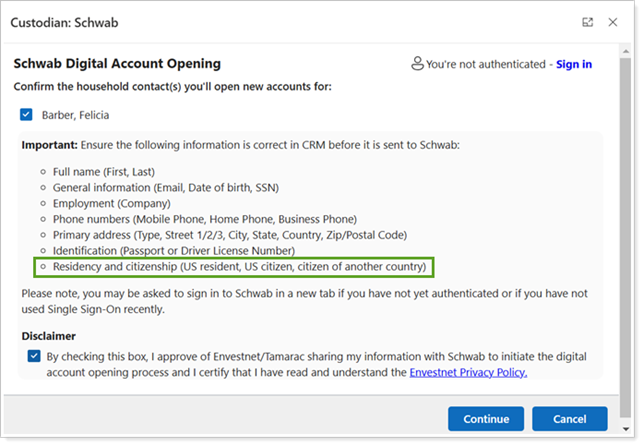
As part of this improvement, we’ve also attached a new disclaimer at the start of your workflow, making it easier to access and review the Envestnet Privacy Policy.
For more information, see Schwab Digital Account Opening (DAO) Integration.
Removed Legacy RMD Tax Withholding Dollar Fields
In our last release, we enhanced the Schwab RMD Integration by updating the Tax Withholding Election Federal and Tax Withholding Election State fields to display as percentages (%) instead of dollar ($) amounts, better aligning with Schwab. With this release, we’ve removed the old dollar fields to complete this transition.
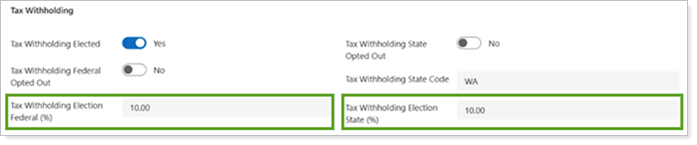
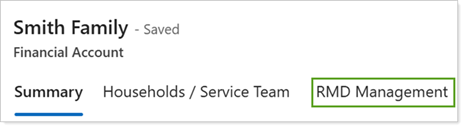
In a Financial Account record, continue to access RMD Management to view the updated Tax Withholding fields in Tamarac CRM moving forward.
For more information, see Schwab Required Minimum Distributions (RMD) Integration.
Access MoneyGuidePro Directly from Tamarac CRM
We understand how vital financial planning tools can be in your practice, so having them readily accessible within your existing systems and processes is key.
With this release, you can seamlessly move from Tamarac CRM into MoneyGuidePro from any Account record using the new single sign-on (SSO) access.

This integration requires configuration. For more information about configuring and using the MoneyGuide SSO in Tamarac CRM, see Introduction to the MoneyGuide Integration in Tamarac CRM.