
Contents
Introduction
Service requests in Tamarac CRM create workflows that can help standardize and automate your administrative processes.
When users across your firm submit service requests, they trigger the appropriate follow-up activities that are assigned to service team members for efficient tracking and completion.
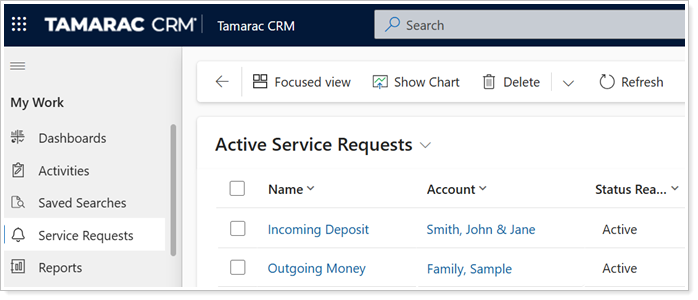
This article provides links to more information about service requests.
To enroll in the Tamarac University course, see Service Requests in Tamarac CRM.
Available Service Requests
The following system default service requests are available for submission:
| service request | when to use |
|---|---|
| Client Info Update |
Initiate and delegate administrative tasks for updating client information such as address, email, or phone number. |
| Incoming Deposit |
Initiate and delegate trading and administrative tasks for a one-time deposit. |
| Outgoing Money | Initiate and delegate trading and administrative tasks for one-time or recurring withdrawal requests. |
| Strategy Updates | Initiate and delegate trading and administrative tasks for overall account strategy changes such as model, cash reserve, or restriction updates. |
| Trade Ticket | Initiate and delegate tasks for a directed trade request or any trade request outside of your firm’s typical rebalancing process. |
Submit a Service Request
In Tamarac CRM, you can initiate the process to submit a service request on the command bar of any Account record.
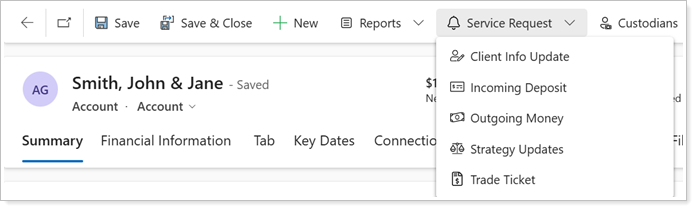
For steps to submit each service request, see Submit a Service Request.
Access and Manage Service Requests
Once you or someone at your firm submits a service request, you can monitor and manage the relevant Tasks through the service request directly or in your Activities list.
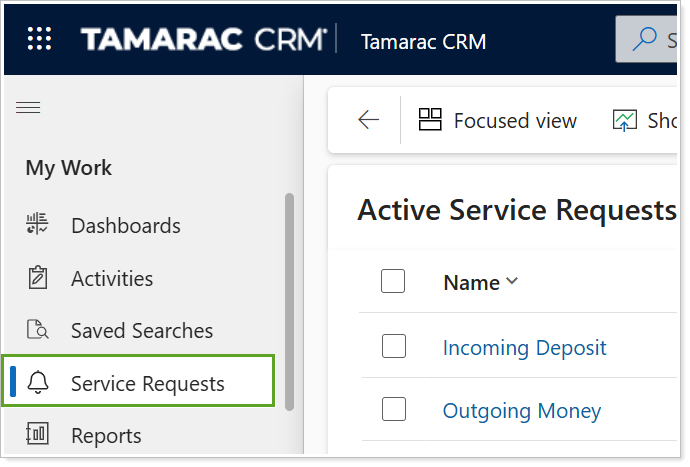
For more information, see Access and Manage Service Requests.
Customize Service Requests
If you or a user with your firm has the appropriate entitlements, you can customize service requests with your unique firm data and specific actionable follow up.
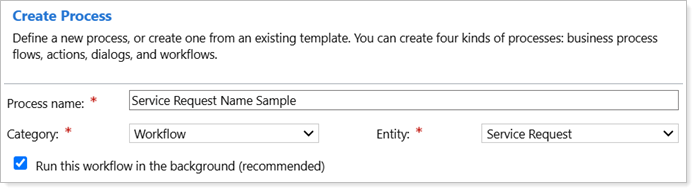
For more information, see Customize Service Requests in Tamarac CRM.