Contents
|
Set Available Themes and Headers/Footers for PDF Templates Edit Free Text Fields in PDF Templates |
Tamarac Reporting
Set Available Themes and Headers/Footers for PDF Templates
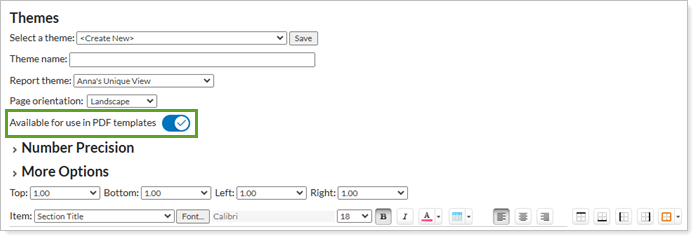
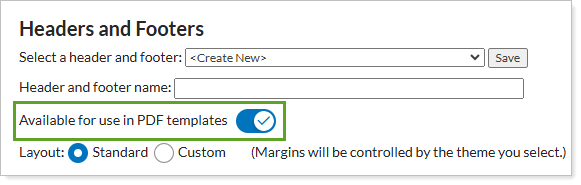
We understand the value that PDF templates bring to your business. These templates are the foundation of the PDF reports that communicate important information to your clients. We heard your feedback that you want greater flexibility in managing the PDF themes that are available to your advisors, and with this update, you can control the availability of PDF themes and PDF Headers/Footers. This will ensure that your documents maintain a consistent and professional appearance.
PDF Themes
PDF Headers/Footers
See PDF Themes Settings for more information.
See Header and Footer Settings for more information.
Edit Free Text Fields in PDF Templates
We are excited to announce an enhancement that gives you more control over PDF customization. With this release, administrators can now manage a user's ability to edit free text fields in PDF reports. This allows you to personalize the text the user will see in their PDF reports.
Free text fields appear in the following areas:
You can enable or disable this feature by selecting or clearing the Edit free text fields check box.
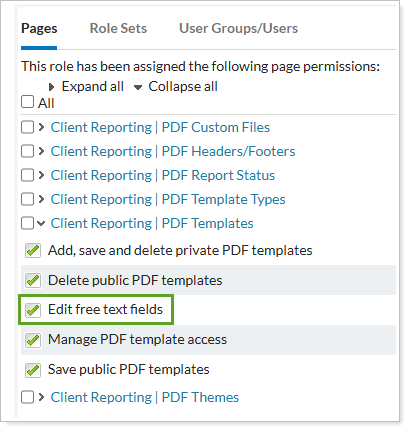
See Manage Permissions for PDF Templates for details.
New Inactive Tab for Billing Groups
We know billing groups are vital to your business. With this release, we are adding an Inactive tab to the billing group section. You'll now see two tabs on the billing groups page:
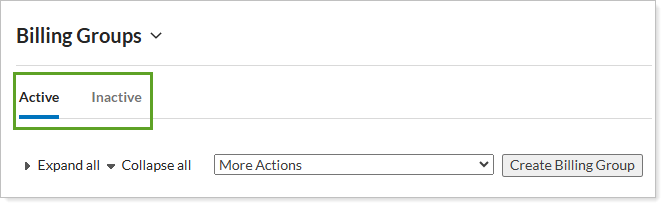
- Active – displays current billing groups.
- Inactive – displays deleted billing groups.
Deleted billing groups stay remain Inactive for 180 days, allowing reactivation before permanent deletion.
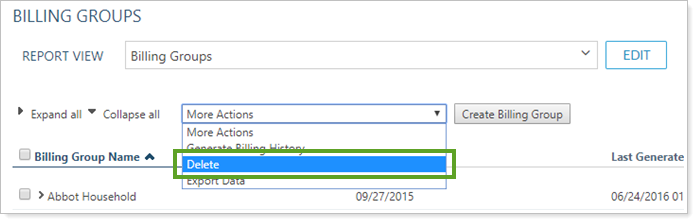

See Create, Edit, Delete Billing Groups for details.
New Client Portal
Expanded Activity Page Data Points
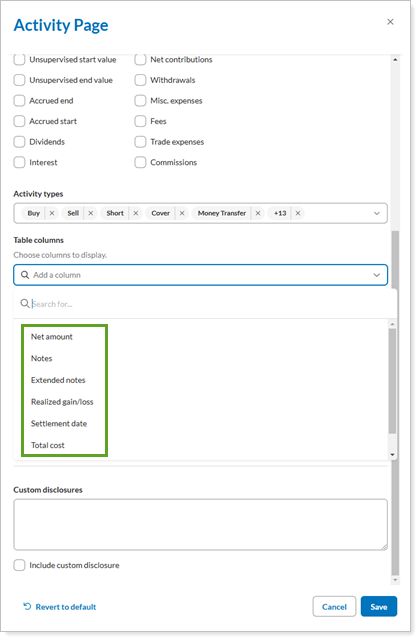
To give your clients a more detailed, tailored view of the activity reported on the Activity page, you can add the following new columns to your Activity pages:
-
Commissions
-
Extended Notes
-
Net Amount
-
Notes
-
Realized Gain/Loss
-
Settlement Date
-
Total Cost
To add these new columns on the page, in the Configuration Tool, on the Activity page, select the desired options in Table columns.