
Contents
Introduction
You can use saved searches to locate and report on a TUMA‘s parent account and sleeves in Tamarac.
This topic provides information on how to use saved searches to keep track of your TUMAs.
For more information about saved searches, see Saved Searches. For general steps to create, edit, or delete saved searches, see Create, Edit, or Delete Saved Searches.
For more information on how to use page view filters and saved searches on grid pages, see Available Page View Filters.
Find UMA Parent Accounts
| Scenario: |
You want to find all of your UMA accounts in Tamarac, and if you select one, you want to see holistic, aggregated reporting on everything inside the account. |
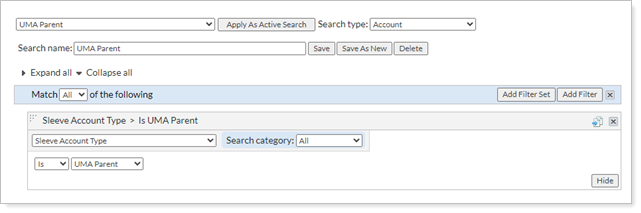
Tamarac refers to the whole UMA account as the UMA Parent. To find your UMA accounts, you can add a filter where the Search type is Account and the Sleeve Account Type is UMA Parent.
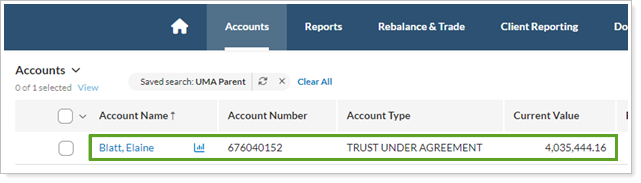
On the Accounts page, the above saved search returns each UMA — the main account with the account number at the custodian.
Find UMA Groups
| Scenario: |
You want to find all sleeve accounts held within UMA Parent accounts. |
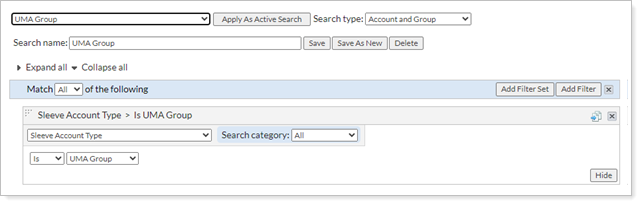
For TUMA, Tamarac automatically builds a UMA Group of all sleeve accounts for each UMA Parent. To find your UMA sleeve accounts and show them with their group, you can add a filter where the Search type is Account and Group and the Sleeve Account Type is UMA Group.
The following search filter will return the expected results:
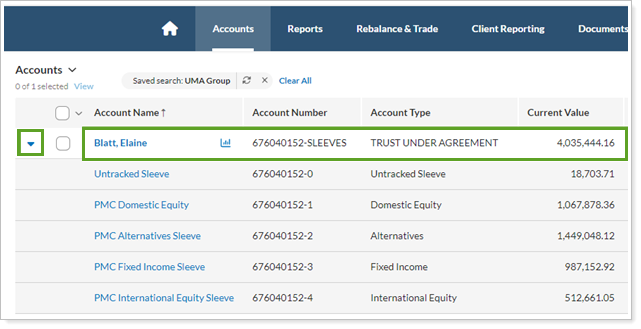
On the Accounts page, the above saved search returns the prebuilt group of UMA sleeves that make up the UMA. You can expand the row to see the sleeve list. The UMA Parent account is excluded from the list.
Find UMA Sleeves
| Scenario: |
You want to find all sleeve accounts held within UMA Parent accounts. |
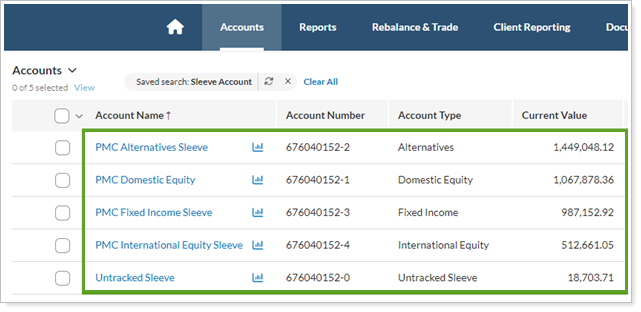
Each sleeve account represents a specific managed portfolio. The list excludes the UMA Parent account and the UMA Group. This is useful when you run reports and you don’t want to double count the values for UMA sleeves along with their UMA Groups and Parents.
To find and report on only your UMA sleeve accounts, you can add a filter where the Search type is Account and the Sleeve Account Type is Sleeve Account.
The following search filter will return the expected results:
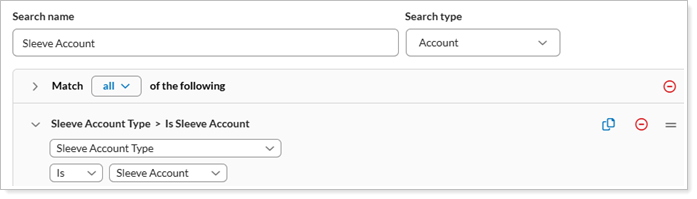
On the Accounts page, the above saved search returns only the individual sleeves held in sleeve accounts.
Use the Find Data For List
You can also locate TUMA accounts and their sleeves using the Find Data For list.

For more information, in Manage Sleeve Accounts, see the section Find Sleeve Accounts.