
Contents
|
Access eMoney Directly from Tamarac CRM Power Automate Flow Enhancements Improve Visibility of Client Birthday Reminders Simplify Administrative Tasks After a Client's Death |
Access eMoney Directly from Tamarac CRM
If financial planning tools are a cornerstone of your practice, having them easily accessible in your current systems and workflows can help operations function more smoothly.
As we continue to prioritize enhancements that integrate the platforms that are instrumental to your firm, we are pleased to announce our new eMoney SSO integration.
Now, you can seamlessly move from Tamarac CRM into eMoney from any Account record using the new single sign-on (SSO) access.

To access eMoney from Tamarac CRM, you must:
-
Have valid eMoney login credentials.
-
Enable the eMoney integration.
For more information, see Introduction to the eMoney Integration in Tamarac CRM.
Power Automate Flow Enhancements
Improve Visibility of Client Birthday Reminders
Client birthdays are an opportune time to show appreciation and make clients feel personally valued, so integrating birthday reminders into your daily processes is key to timely birthday wishes.
With this release, we are making the Birthday Reminder automated business process available as a Power Automate Flow template, offering enhanced flexibility by sending reminders based on how you assign individual or team users to a client in CRM.
If enabled, the Power Automate Flow will trigger reminders based on the assignment of users as follows:
| Users assigned to client | Reminder type |
|---|---|
|
Email reminder to the CSA |
|
Email reminder to the Primary Advisor |
|
In-app notification to all associated team members |
This workflow provides the same personalized notifications for individual users, while offering improved awareness and coordination for team users.
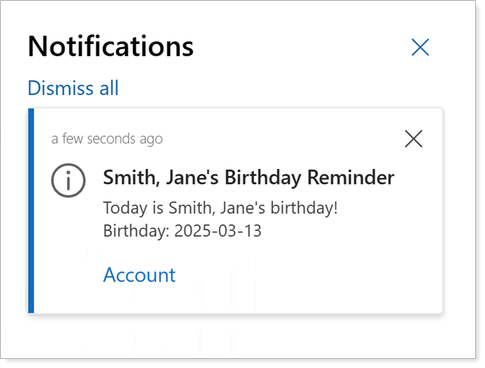
Additionally, the Flow will detect when a client’s birthday falls on a weekend and send the email or in-app notification the preceding Friday, allowing time for proactive communication.
To convert to this new process, you must:
-
Be a CRM System Administrator.
-
Enable the Birthday Reminder Power Automate Flow template.
-
Disable the existing birthday reminder workflow to avoid duplicate emails.
For more information, see Set Client Birthday Reminders with Power Automate.
Simplify Administrative Tasks After a Client's Death
The emotional burden of a client passing away can be heavy. That’s why it’s crucial to have systems in place to help your team stay the course with more intuitive administrative tasks.
With this release, we are introducing a new Death of Client Power Automate Flow template to help streamline your operations and support your team through those difficult circumstances.
If enabled, when your team updates the Deceased Date for a Contact, the Flow will trigger a Task with the recommended steps to take in both Tamarac CRM and Reporting.
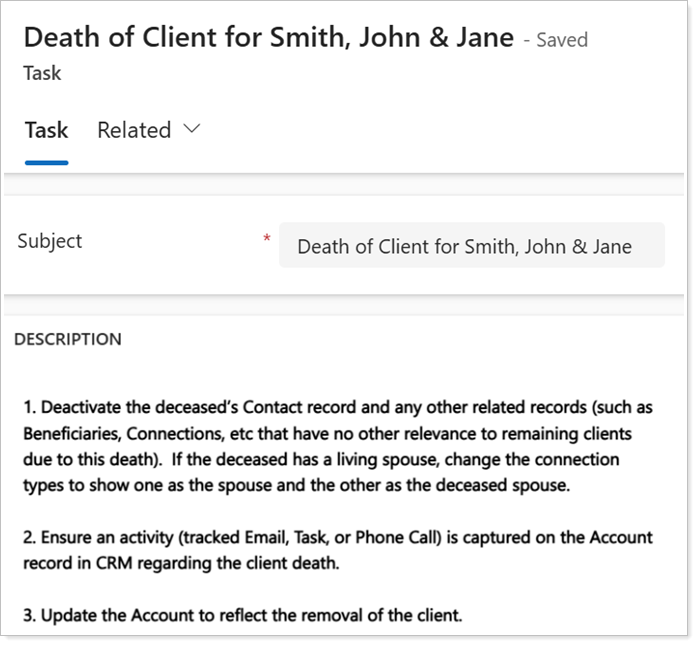
Depending on your firm’s administrative preferences, you can set whether the Task assigns to the CSA or Primary Advisor.
To use the Death of Client Power Automate Flow template:
-
A Global Admin for Microsoft 365 must enable the Death of Client Flow template. For many firms, this may be someone on your IT team.
-
The Contact must be associated with an Account record.
-
The Account Type must be Household.
For more information, see Automate Tasks after a Client's Death with Power Automate.
Export Contact Preferences from CRM with Word Templates
With Word Templates, you can readily export data from CRM into a suitable format for internal filing or distribution for a more efficient administrative workflow. These preset templates pull dynamic values straight from CRM records into standardized documents, minimizing your time spent on data re-entry and formatting.
With this release, we’re introducing the Lead Contact Preferences and Account Contact Preferences Word Templates that include key contact information for effective client and prospect communication. They capture data such as preferred contact methods, delivery methods, phone numbers, email addresses, and more.
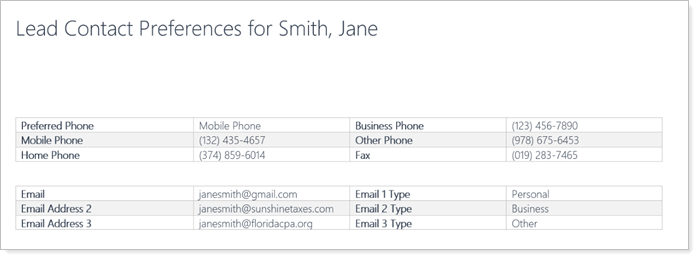
You can access Word Templates from the command bar of the corresponding record type under Reports and Word Templates:
| Eligible record type | template |
|---|---|
| Account | Account Contact Preferences |
| Lead | Lead Contact Preferences |
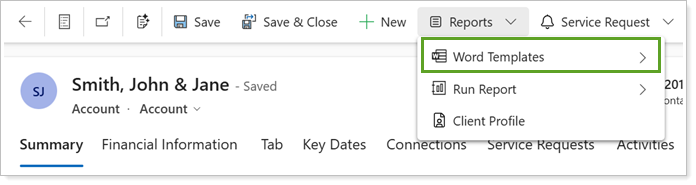
For more information, see Word Templates.
Explore New and Expanded Help Center Content
We are excited to announce that we've expanded our Tamarac CRM Help Center documentation for the following:
-
Search Functionality. Learn more about how to leverage the tools in Tamarac CRM to effectively search across the platform.
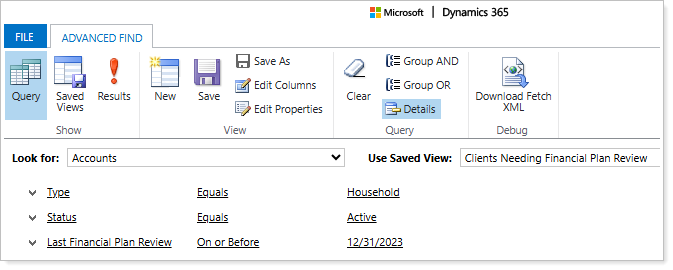
For more information, see Search Functionality in Tamarac CRM.
-
Service Requests and Service Request Customization. Learn more about how to navigate and customize service requests for your firm.
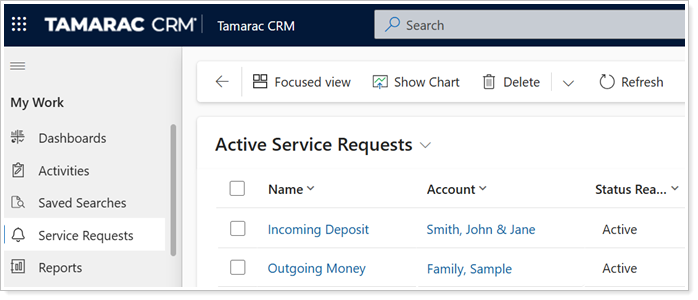
For more information, see Introduction to Service Requests.
-
Copilot in Dynamics 365. Learn more about how to enable and take advantage of Copilot in CRM to provide custom insights and help streamline your processes.
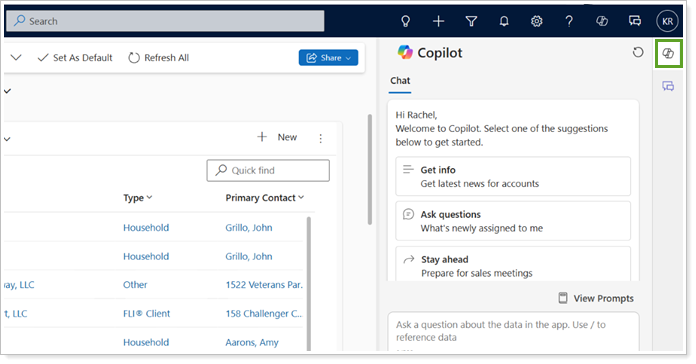
For more information, see Use Copilot in Dynamics 365.