Contents
Reporting
Introducing Selective Sync
We know how important data syncs are to your business. These syncs update account and client details that are critical to daily operations. With this release, you can use Selective Sync to update specific client accounts without performing a sync for your entire firm. Because selective syncs calculate and insert less data than full syncs, they finish much faster.
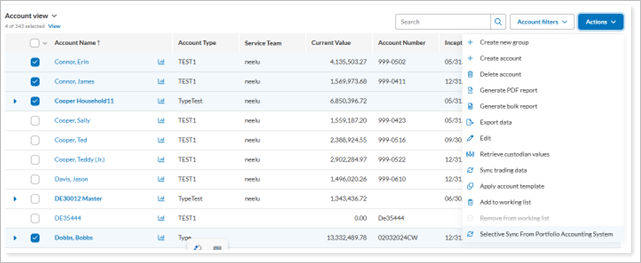
Whether you’ve added a new manual security snapshot that needs to appear in reports or want to refresh an account whose custodian data was not included in the morning sync, Selective Sync gives you more control over your data. It also helps ensure you have the most current information for your clients.
Tamarac Makeover updates
We’re excited to announce look and feel updates to all the Billing pages. Although the pages look slightly different, all your normal billing workflows remain available. With this change, you may notice slight changes to where you access certain tasks. On these pages, you’ll see that the grid has a new look. We've refreshed the header, color scheme, search bar, and icons. As always, the core functionality remains the same. The changes focus on how the page looks, aiming to improve your experience and visual consistency.
New look and feel for Billing pages
The following billing pages feature updated look and feel:
-
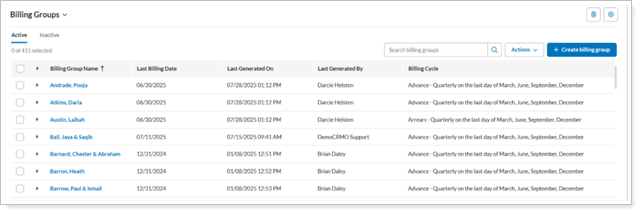
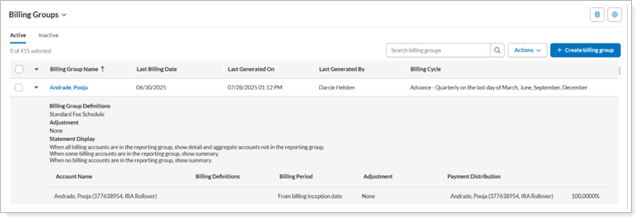
A new grid now displays all billing groups.
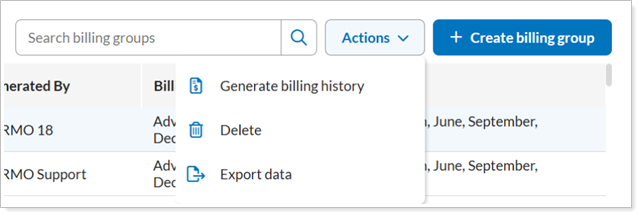
Generate billing history, delete, export billing groups from the Actions list and select Create billing groups from the upper right corner of the grid.
Expand and collapse items using the grid column.
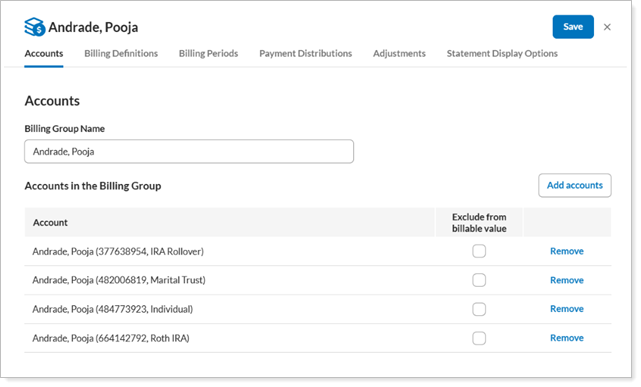
To edit, select the billing group name in a grid row to open the new editing module.
-
A new grid now displays all billing definitions, removing the need to select one each time.
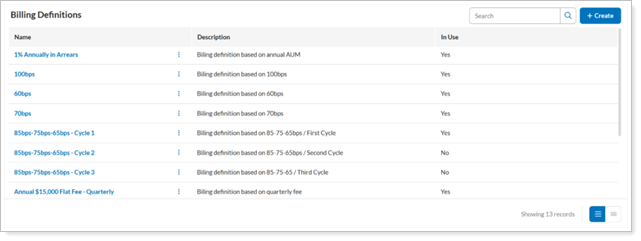
To create billing definitions, select Create in the upper right corner of the grid.

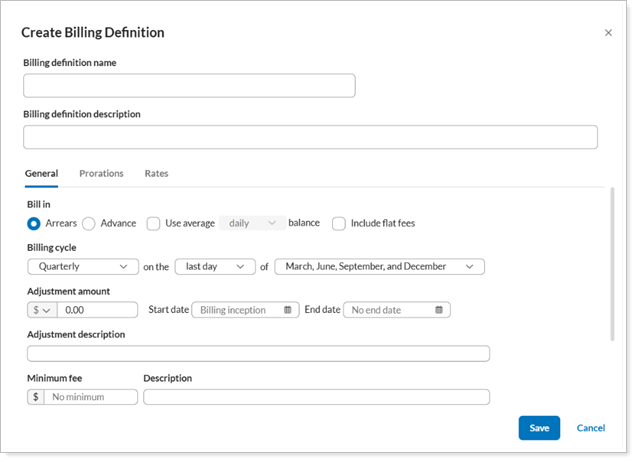
The new billing definition module opens.
-
A new grid now displays all billing history records.
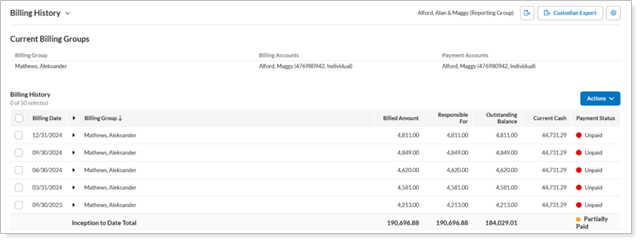
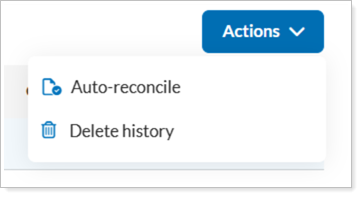
Access auto-reconcile and delete functionality from Actions menu in the upper right corner of the grid.
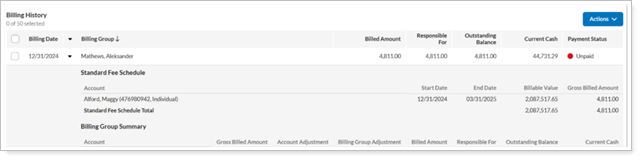
The grid column now provides expand and collapse functionality.
-
Billing History Status
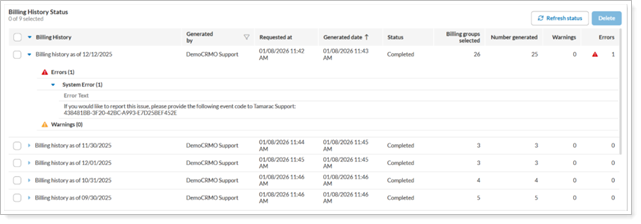
The new grid displays all billing history job statuses, and new grid columns now show details that previously appeared in expanded rows, including Requested at, Billing groups selected, Warnings, and Errors.
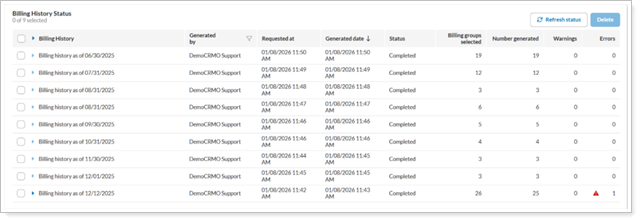
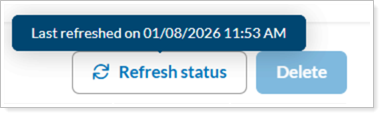
To see details of when the status last refreshed, hover over Refresh status.
Use a grid column to expand and collapse items.
-
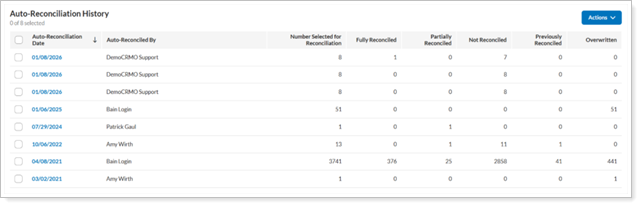
The new grid now shows all auto-reconciliation billing history.
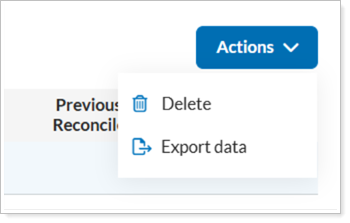
Delete and export data actions from Actions menu in the upper right corner of the grid.
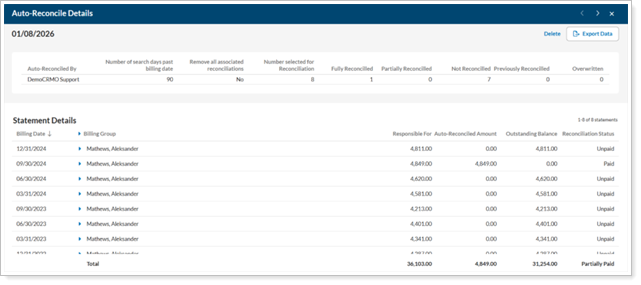
Access auto-reconciliation details by selecting the date in a grid row, which then opens an expanded page view.
-
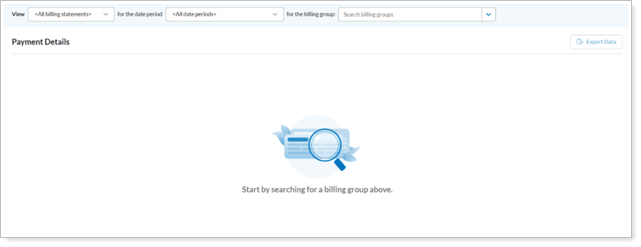
Before you select a billing group to view, you see a default empty state new grid.
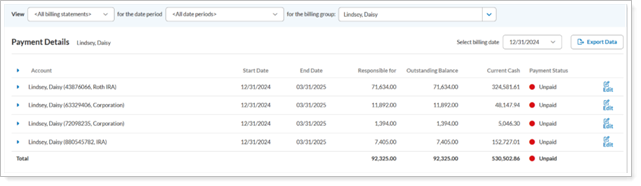
After you select a billing group, you see relevant results.
Expand and collapse payment details.
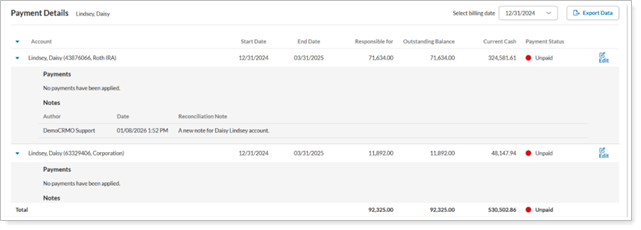
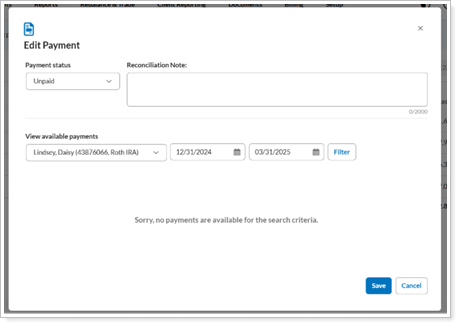
Edit payment details by selecting Edit in a grid row, then complete the Edit Payment window.