
Contents
Introduction
A billing group is a collection of financial accounts you want aggregated together to determine the billable value and the billed amount. By treating these accounts as a group, you can avoid managing the billing preferences of accounts on an individual basis. Instead, you can attach the billing information such as billing definitions, payment distribution, adjustments, and statement display options to all the billing group member accounts at once.
This page discusses the settings available when you create a new billing group.
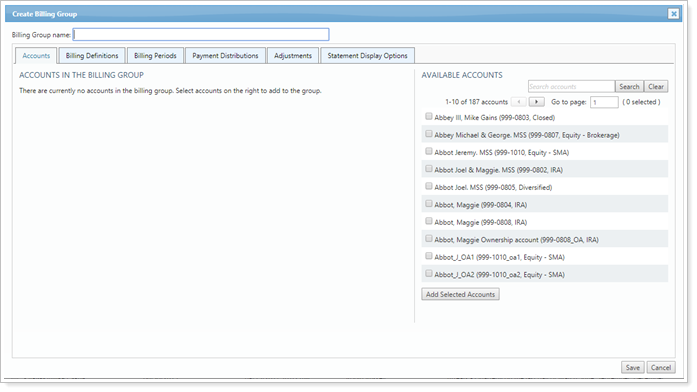
For more information on setting up billing groups, see Billing Groups.
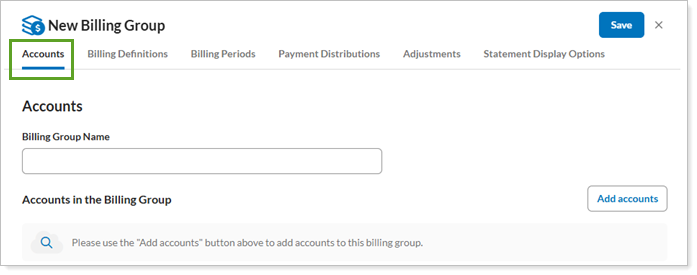
Accounts Tab
The following settings are available under the Accounts tab.
Billing Definitions Tab
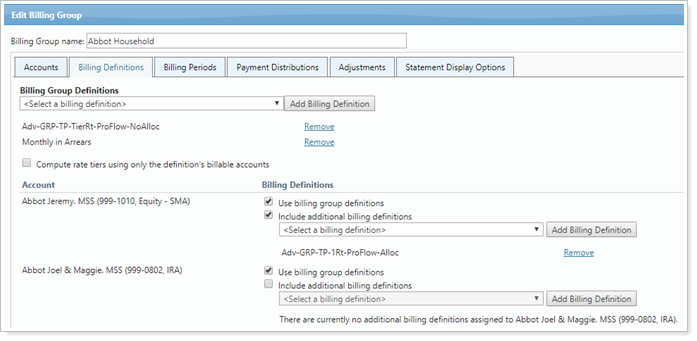
The following settings are available under the Billing Definitions tab.
- Add Billing Definition
- Compute Rate Tiers Using Only the Definition's Billable Accounts
- Use Billing Group Definitions
- Include Additional Billing Definitions
Billing Periods Tab
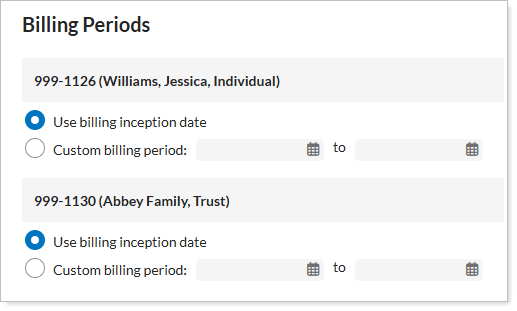
The following settings are available under the Billing Periods tab.
Payment Distributions Tab
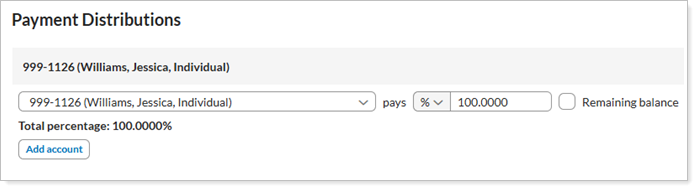
The following settings are available under the Payment Distributions tab.
Adjustments Tab
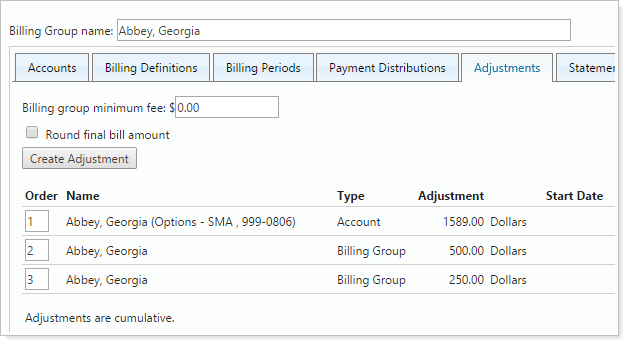
The following settings are available under the Adjustments tab.
- Billing Group Minimum Fee
- Round Final Bill Amount
- Create Adjustment (including all related settings)
- Order
Statement Display Options Tab
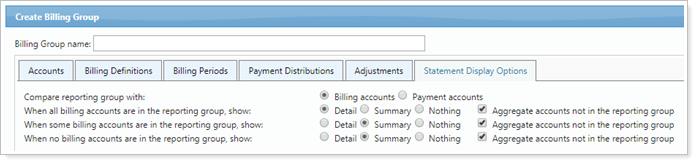
The following settings are available under the Statement Display Options tab.