
Tamarac Makeover Updates
What's changing
As part of the ongoing Tamarac Makeover initiative, we are pleased to announce the latest enhancement which include new designs for select Setup pages. This release includes the following updates:
Setup Pages
We’ve updated the user interface for additional Setup pages to create a polished, unified, and effortless experience across the platform. This release includes updates to the following pages:
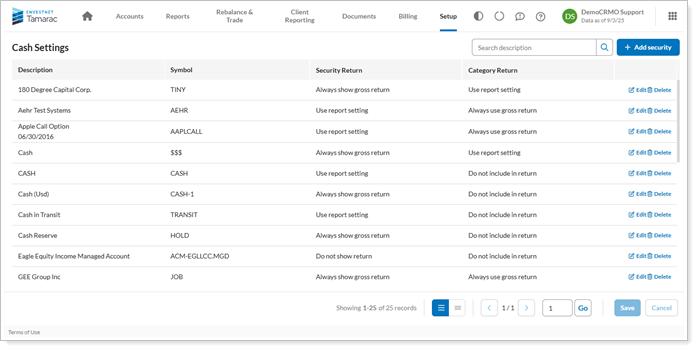
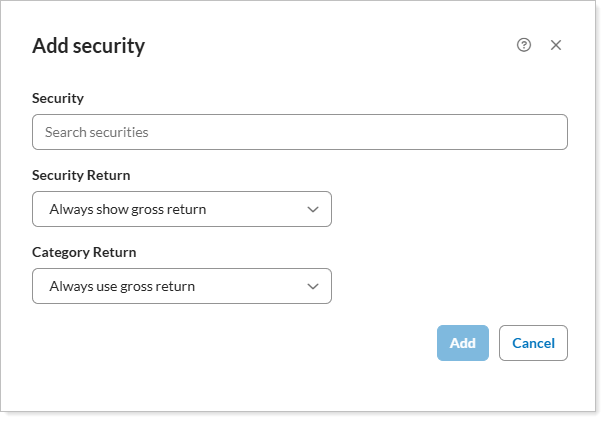
Cash Settings
This page has been transformed into a clean grid with a focus on taking action on your securities.
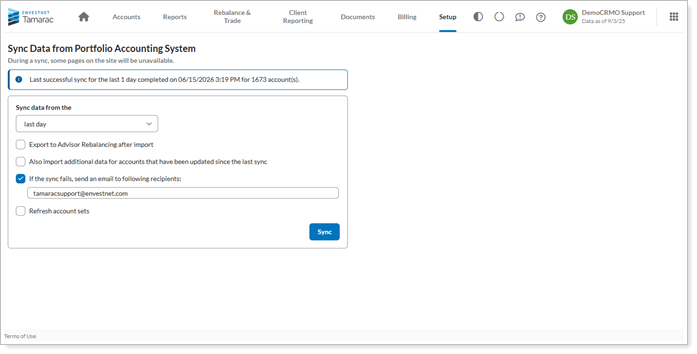
Sync Data from Portfolio Center
This page will now allow simple data management for users, with sync details being clearly displayed and actions easily accessible.
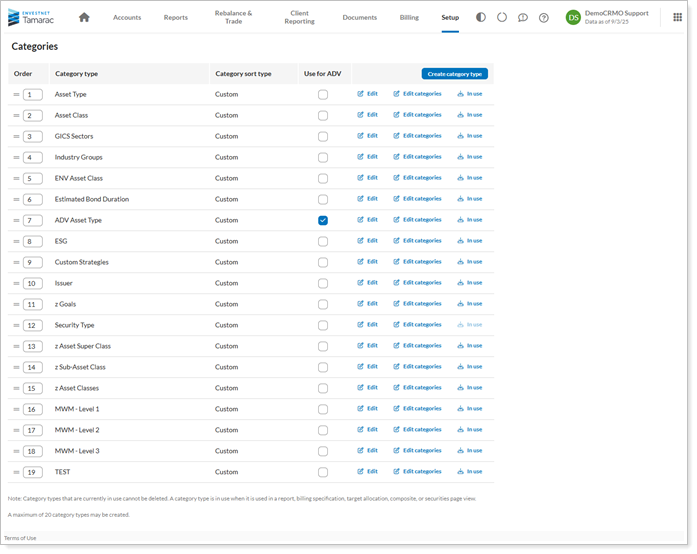
Categories
This page has been redesigned to improve the ability to seamlessly reference and interact with the category types within the platform.
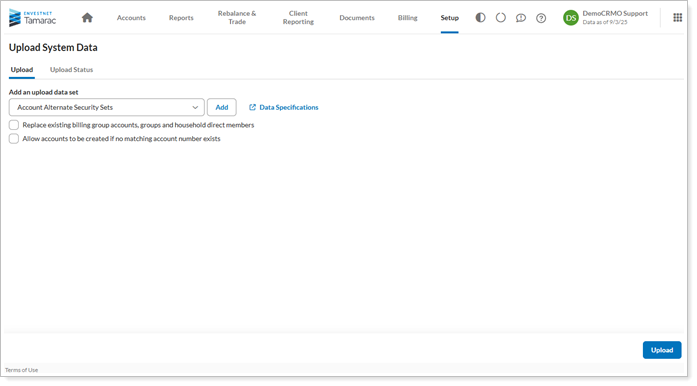
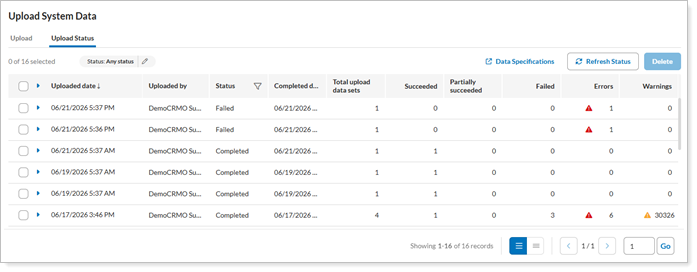
Upload and Upload Status
These pages have now been updated with enhanced organization and navigation to ensure that upload details and settings are displayed in clear and standard format.
Why you'd use it
These enhancements modernize the look and feel of Tamarac pages across the platform, delivering a more consistent and intuitive experience.
How to get started
No action is needed. These changes will apply after the release.
Additional information
For more information, see:
Access more Tamarac features during the data sync
What's changing
We know how important the data sync process is for your business. Updating client information and details allows you to work with the most current information. Tamarac now gives you more continuous access during the Tamarac sync, so you can keep working while data updates. Previously, the sync limited access to some areas of the platform. With this release, the following key areas remain available during data delivery, helping you stay productive and continue supporting clients:
-
Accounts page.
-
All trading functions.
-
Saved searches.
-
Interval calculations.
Why you'd use it
With this enhancement, you can manage client portfolios and place trades without waiting for data delivery to finish. You can view current information on the Accounts page and use Trading tools while the sync runs. For example, if you need to review account intervals or place a trade during a scheduled sync, you can keep working without system locks or data inconsistencies.
How to get started
No action is needed. This update applies automatically after the release
Additional information
See Synchronize Data From Portfolio Accounting System for more information.