Contents
Introduction
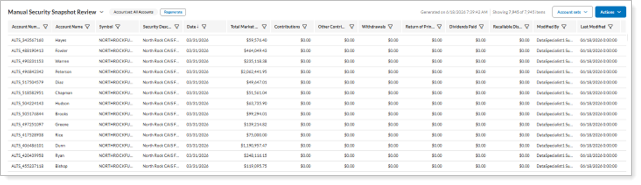
Alternative investments are a diverse array of holdings types that come into Tamarac through a variety of methods, including uploaded manual security snapshots, custodian data feeds, and snapshot-based data feeds. Regardless of the source, Tamarac Reporting gives you access to the same powerful reporting and analysis tools you already use for traditional investments.
This page provides more details about reporting on alternative investment holdings in Tamarac Reporting.
For more information about how to set up a data feed from alternative investment providers, see Workflow: Set up data feed for alternative investments in Tamarac.
Committed Capital report
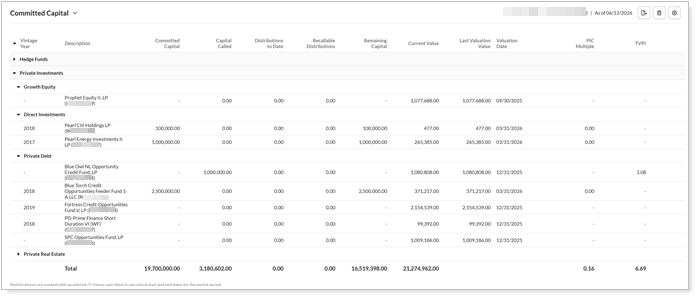
The Committed Capital report provides you with view of snapshot-based alternative investment activity. You can use it to track the original commitment, capital calls, distributions, remaining capital, and more for alternative investments that come in through the data feed.
On the report, you can monitor:
-
How much capital has been called, remaining commitment owed, and distributions to date.
-
Performance returns for any specified date period.
-
Overall performance metrics for each fund.
-
And more.
For more information about the Committed Capital report, see Committed Capital Report.
Dynamic and PDF reports
Alternative investment holdings tracked as manual security snapshots integrates seamlessly with your standard reporting tools. This allows you to include alternative investment data alongside traditional assets across performance, transactions, and holdings reports, with support for custom symbols and descriptions for each alternative fund.
To run a report that includes alternative investments, in the dynamic report’s Find Data For list, select a client with an account containing alternative investments. The alternative investments appear in the report where applicable.
For more information about running dynamic reports, see Run a Report and Introduction to Reports.
Performance reports
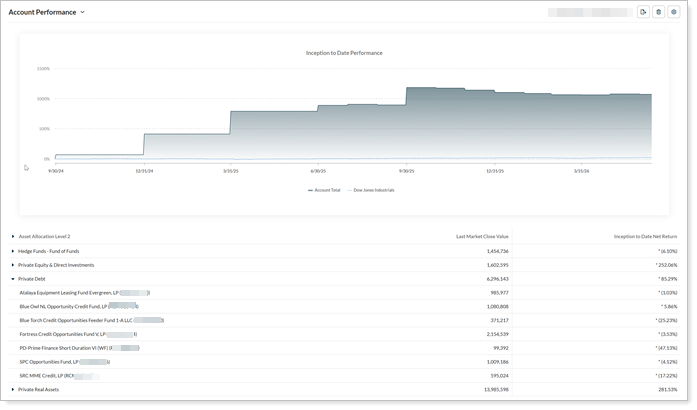
Report on the performance of accounts containing alternative securities, either individually or with other accounts in a reporting group, Household, or account set.
For more information about performance reports, see Learn More About Performance Reports.
Holdings reports
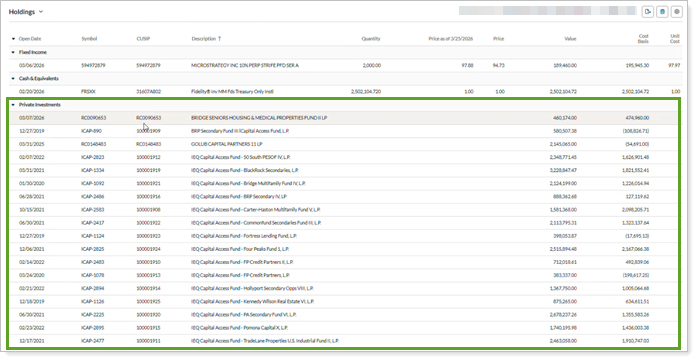
See alternative investment holdings listed alongside more conventional securities held in the same account or reporting group, Household, or account set.
For more information about holdings reports, see Learn More About Holdings Reports.
Transactions reports
Track inflows, outflows, and account activity for accounts, reporting groups, Households, and account sets that hold alternative investments using the same transaction reporting tools you use for traditional assets.
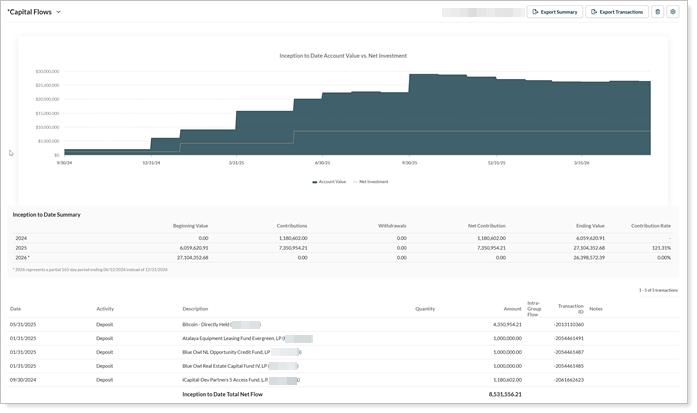
For more information about transactions reports, Learn More About Transaction Reports.
PDF reports
Include alternative investment details in your PDF report package with the Committed Capital report, as well as in standard reports along with custodian-fed data.
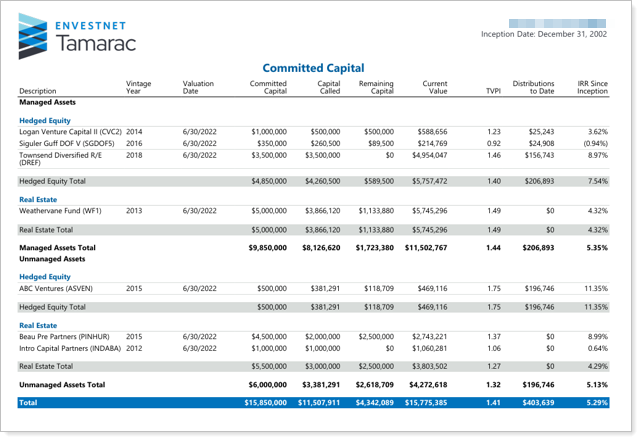
For more information about PDF reporting, see Learn More About PDF Reports.
Report Studio modules
Report Studio offers unique alternative investment reporting capabilities. With it, you can create a custom Private Placement report that consolidates all your different types of alternative investments in one report. Choose from a wide array of data points, including ones only available in Report Studio, and add charts to help visualize the data. Once you have a Private Placement report created as you like in Report Studio, you can choose to use it to create Dynamic Views or PDF reports, as needed.
For more information about Report Studio, see Learn more about the Report Studio and Report Studio.
Expanded data points
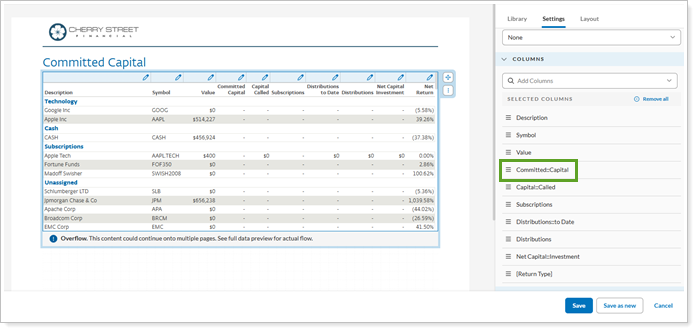
Report Studio gives you access to the following data points not available elsewhere:
-
Distributions
-
MOIC
-
Net Capital Investment
-
Subscriptions
Find these data points in the table module. Under Columns, expand Committed Capital to choose from the list of available data points.
Graphical data visualization
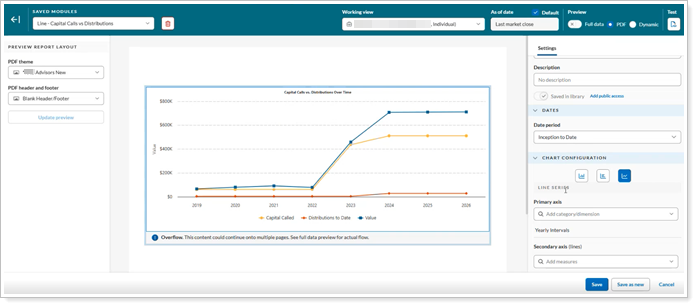
Create bar, line, or pie charts in Report Studio to give clients a clean, clear visualization of alternative funds data. Use charts to illustrate fund activity and valuation over time or other desired metrics.
Bulk reports
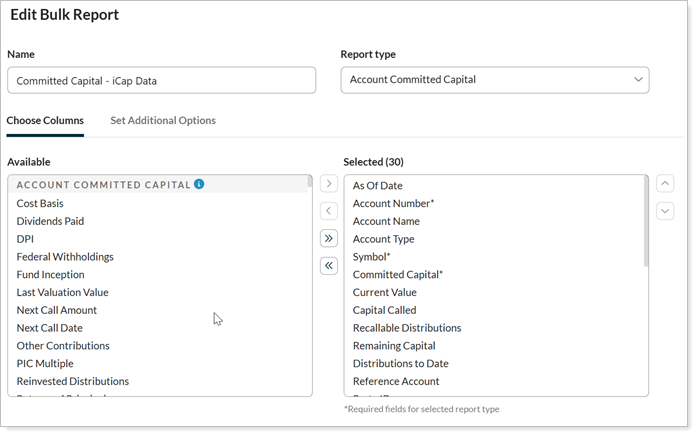
Use an Account Committed Capital bulk report with snapshot-based alternatives in Tamarac to aggregate data across accounts. This helps you monitor the flow and accuracy of alternative investment data, as well as see trends across accounts.

Include the following types of data points in bulk reports to specifically track alternative investments:
-
Current value.
-
Last valuation date.
-
Performance metrics.
For more information about bulk reports, see Run a Bulk Report to Export Data in Bulk and Bulk Report Descriptions.
Custom views
Use custom views to monitor data quality and generate fund-level reporting for snapshot-based alternative investments.
For more information about custom views, see Custom Views.
Monitor data quality
Review the data in your snapshot-based feeds. For more information, see Monitor snapshot-based alternative investment data feeds.
Report on fund-level data
Include data points from across your standard reporting packages to broadly monitor accounts from the fund perspective, rather than on an account-by-account basis.